
I’m taking this opportunity with Dragontail to do a long-overdue design redo, improving both the asthetic quality and the UX of WM’s interface.
Build 4065 is out! You can get it from the Update Center now.
There are three major prongs to this release:
- Crossplatform support: This is the first official public build of the Mac and Linux releases.
- UI and UX improvements: The goal here was twofold: improve a lot of high-friction UI points, and also make the app look more modern as you might expect in the year of our lord 2026.
- Auto-updater: This doesn’t seem like a big deal, but the difference in friction between having to go to the Update Center versus having the software update itself is a key enabler of shipping new releases faster…
Along with a pile of other changes and important bugfixes.
Frankly, there are a lot of changes and I’m not going to cover them tour-style – the release notes are on the help center as we speak.
Instead, I’ll just point out a few things that I am happy about.
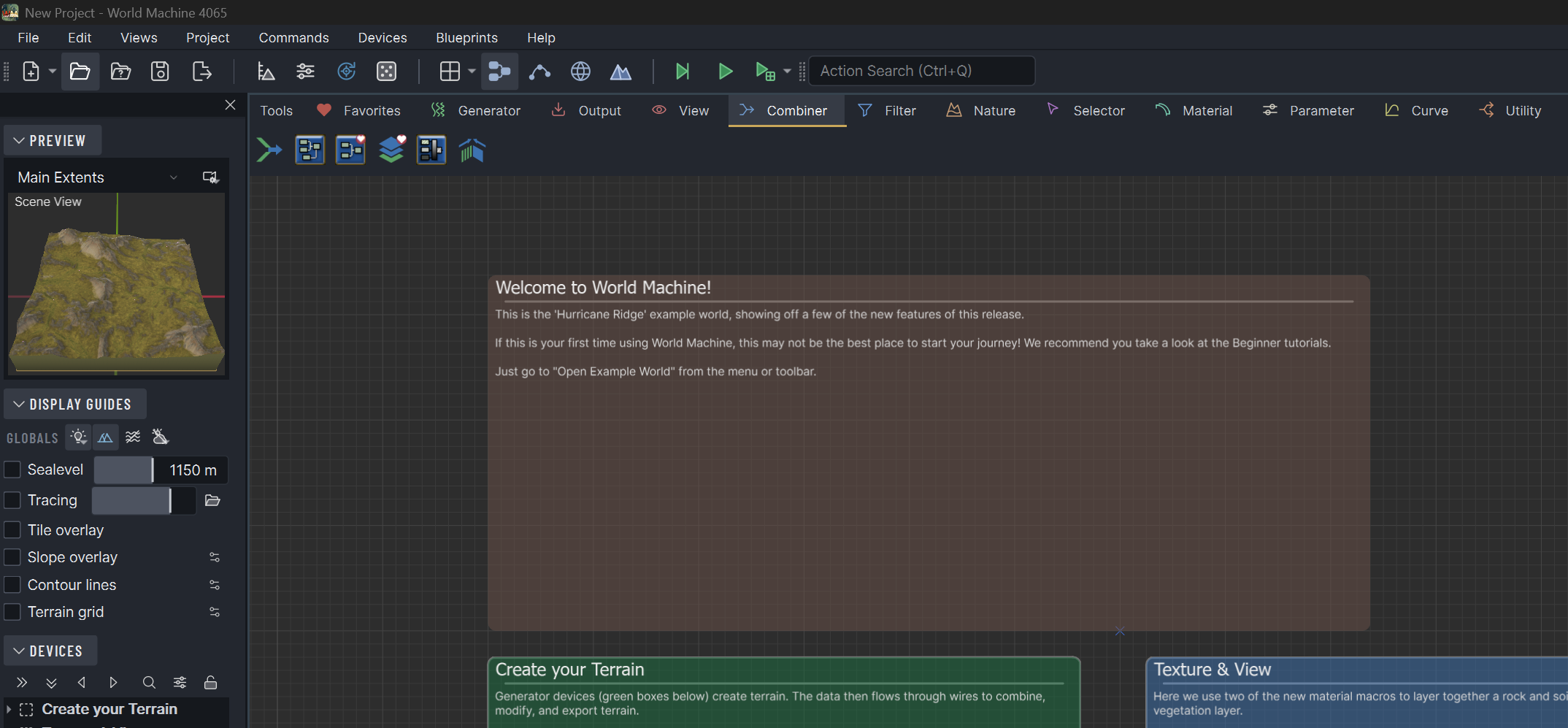
A more modern look
A first-ever release on mac/linux provided the impetus to make some long-overdue changes. The big LTE modernization push in 2020 to the QT platform improved a lot, but there was plenty to do still.
In particular, updating the app toolbar icons was way overdue – they have been essentially ported unchanged all the way from WM 1.x! If you want the old ones still, you can toggle them in Program Settings. But the new icons intentionally echo the form of the old ones so they are recognizable, and I haevn’t looked back since the change.
A better slider
One of the more noticable changes you’ll see is a new slider:
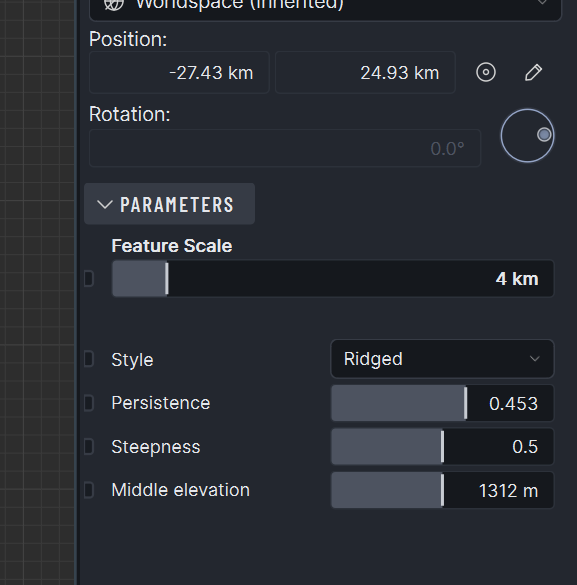
I’m quite happy with the new slider. Besides looking stylish, it lets the parameter panel shrink horizontally and still maintain useful control. You can directly edit values by double clicking, and you can adjust the scrub speed with shift/ctrl.
The same underlying widget is also now used without the slider part for all the numeric editboxes, letting you scrub them easily as well (for example, the position settings above).
Reworked Dialogs
Virtually every program dialog had a polishing pass for both looks and workflow. For example: the Export Terrain Assets dialog is both simplified and also way lower friciton than before.
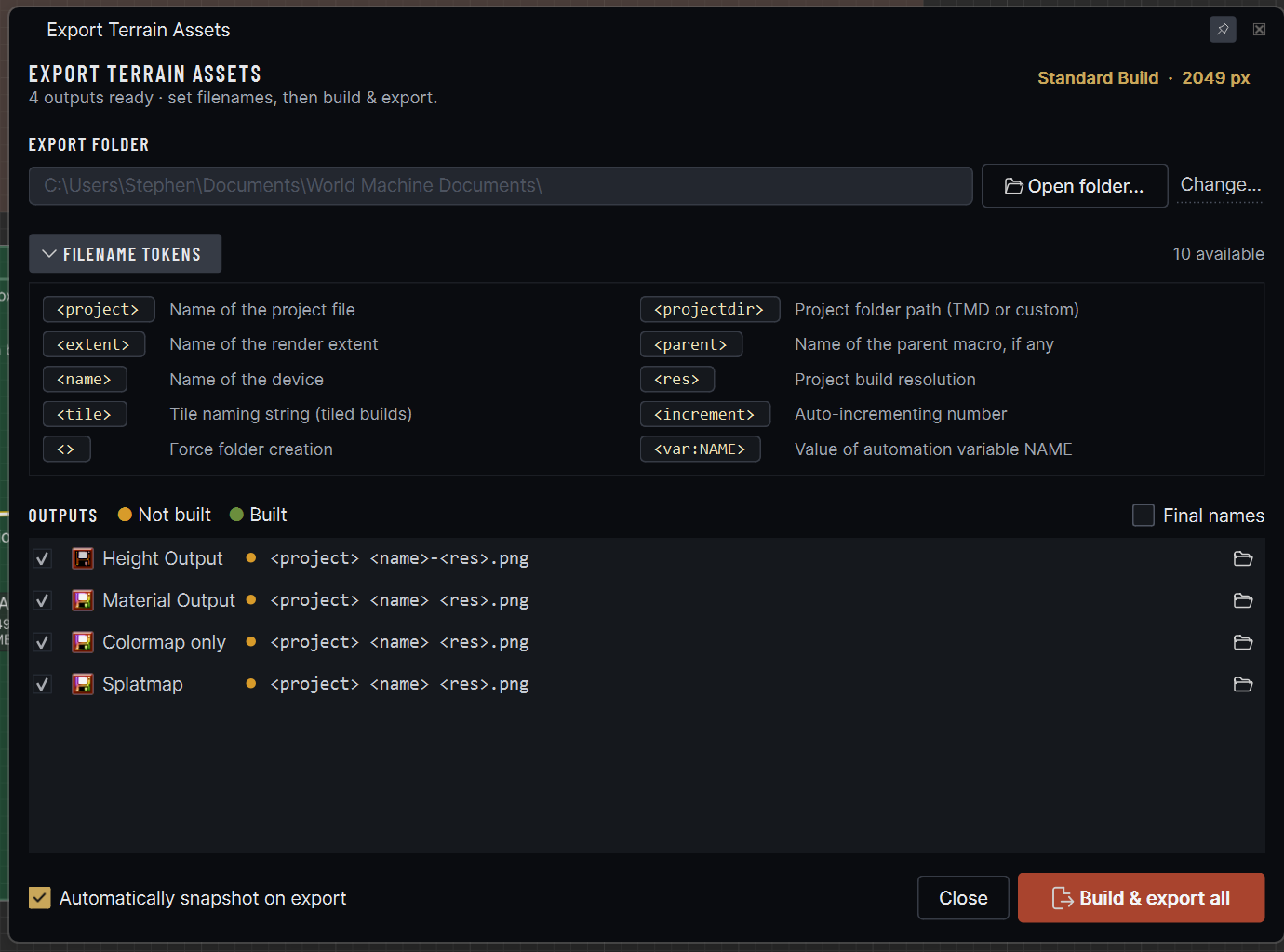
You can finally directly edit the filenames in the output section! I also rearranged and reduced the number of options to make it just more clear what you’re supposed to do here – the filename tokens before used to be the first thing you’d see which.. was confusing.
There’s plenty more like that – you can sort the build status dialog now by time taken, things like that. Mostly I focused on stuff you’d just want to have work.
Built in Updater
When I was scoping out the changes, this was on the list as a framework item but now that it’s available, it is so much better than I thought. What I didn’t expect is how freeing having an updater built-in is for decisions around release cadence. I know firsthand exactly how laborious the prior update process was (Go to the Update Center, what’s my license key again? Right. Click.. download.. wait.. run the installer, etc). Knowing that added to the mental assumption that an update had to be substantial to justify that friction.
Now that the update can be done within the app automatically, it means that bugfix releases can happen much more frequently than before, something that benefits everyone.
Anyways, that’s it for my personal favorites tour of the changes. The intention is for this build to also be available as a Basic/Community release, but there’s some more work that has to happen before that point – hopefully the end of next week.
Until next time,
Stephen

Join the discussion at forum.world-machine.com