
Dragontail Peak
Dragontail Peak breaks two limits that had been there since the beginning: terrain no longer has to be a heightfield... and World Machine no longer has to run on Windows.
Build 4059 onwardFrom May 2026
Vector Displacement Maps
Overhangs, cliffs and caves
Heightfields have pretty much always been the right way to represent terrain. Simple and efficient, they underpin almost all CG terrain today. But they have two major flaws that becomes more obvious as the resolution increases:: they can't represent overhangs, and steep faces have almost no detail.
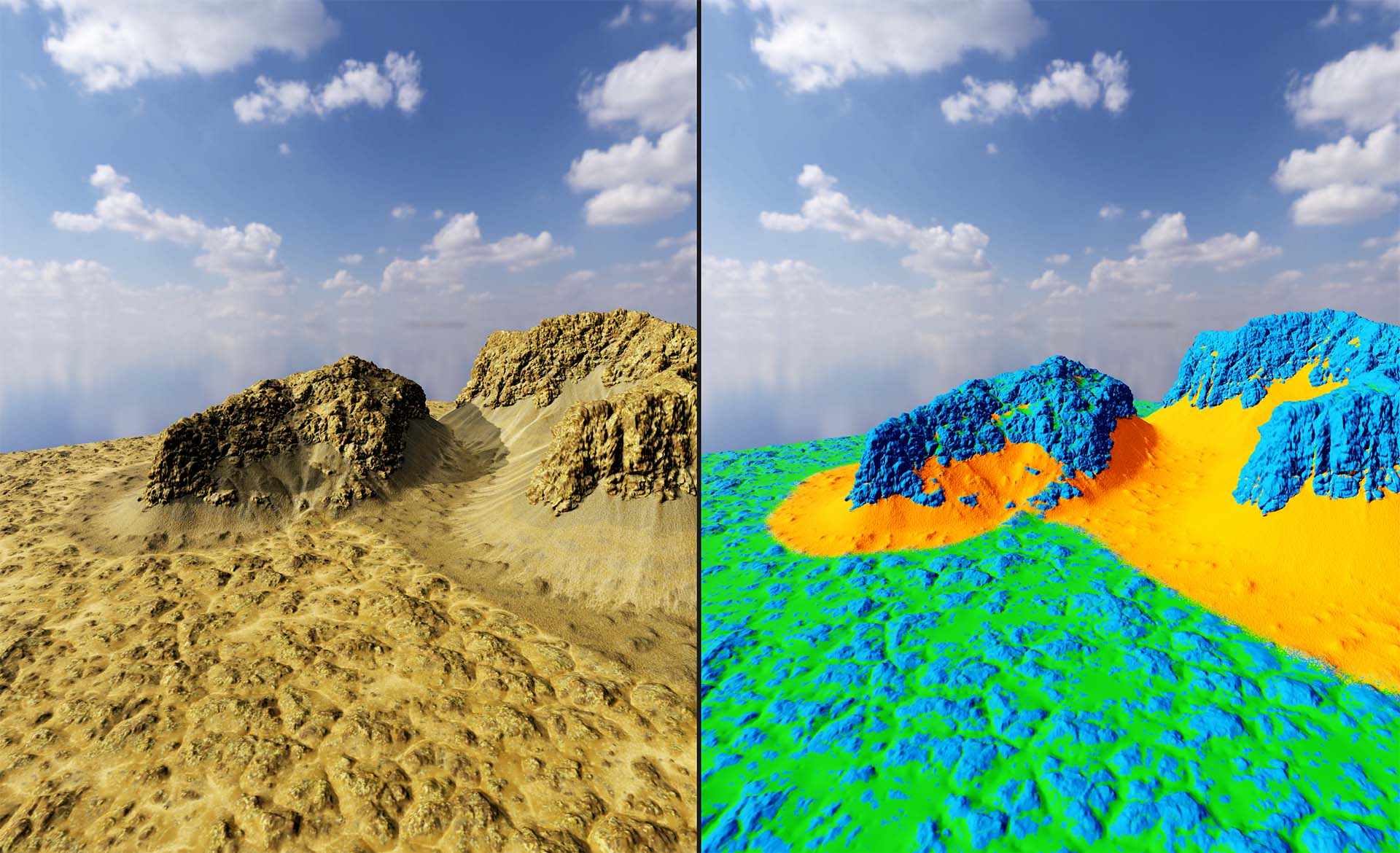
Dragontail Peak pioneers terrain creation with Vector Displacement Maps. Instead of a simple elevation, every point on the surface can move in any direction. The same node graph you already built can produce overhangs, undercuts, caves and real cliff faces. True 3D geometry with all the craggy detail you want.
Start from a heightfield and push it into 3D, or build a VDM from nothing. When you are done, export it directly if your DCC app supports it. Otherwise you can turn your work into a optimized mesh, or even convert back to a heightfield with the unrepresentable parts automatically converted to a cliff mesh beside it.
A world file can mix heightfields and VDMs, whichever suits the scene.
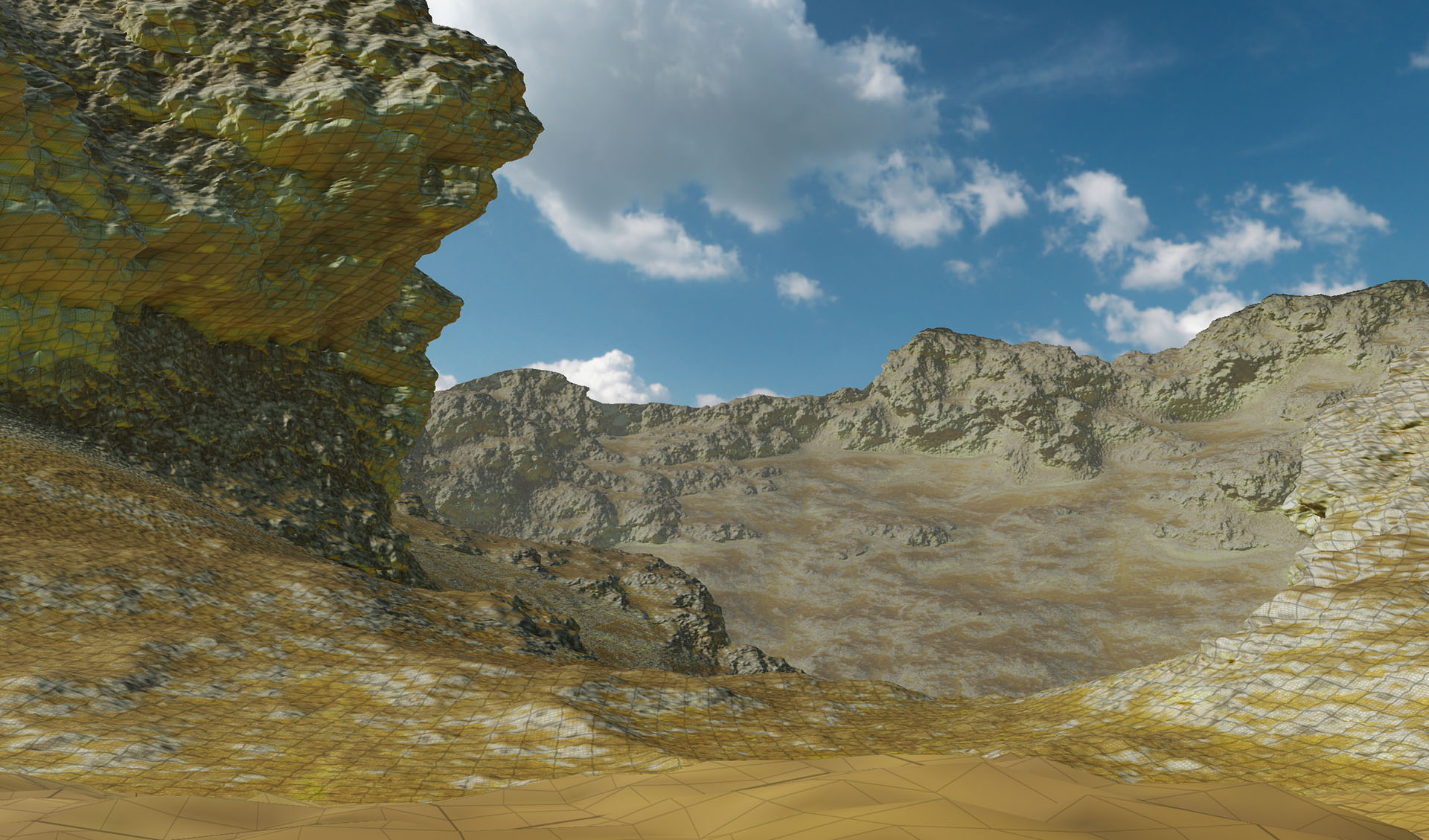
Cleaning up after displacement
Displace a surface hard enough to make a cliff and the geometry pays for it. Texels stretch out along the vertical face until detail there is a fraction of the detail on the flat ground beside it, and a surface pushed past itself folds through its own neighbors.
VDM Optimize reflows the surface so resolution follows the shape, which is what puts erodible detail on a cliff instead of a smear. VDM Repair stops triangles from inter-penetrating and keeps the surface a smooth manifold.
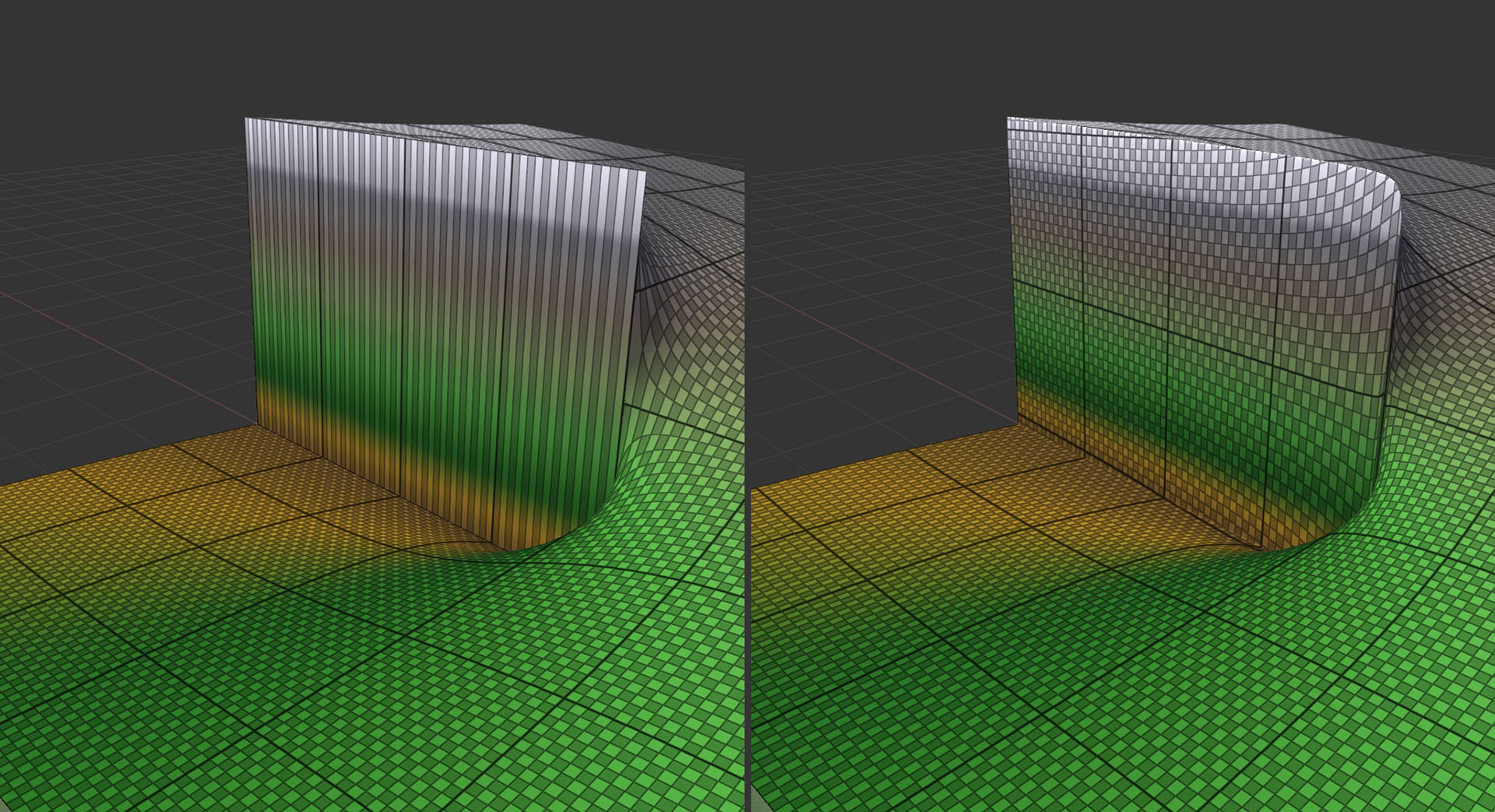
A device family, not a single node
Eleven new devices work on vector displacement directly, and sixty more of your existing favorites such as Strata, Selectors, etc all take a VDM as well.
- VDM Noise: Perlin and Voronoi that displace in three dimensions rather than just up.
- VDM Displace: Push, detail, or otherwise transform one VDM surface with another, or a heightfield.
- VDM Optimize: redistribute detail to where the surface actually needs it.
- VDM Repair: clean up the self-intersections and tangles heavy displacement creates.
- VDM Primitive: Create a local-space VDM element to build from. Spheres, squares, cliffs and.. math things.
- VDM Compare: Difference two VDMs.
- VDM Analyze: Produce useful masks for relative area, distortion, and other per-point properties.
- VDM Detail Sieve: The swiss army knife of devices: Blur, sharpen, isolate, and selectively treat fine detail or smooth areas across different size bands.
- VDM → Heightfield+Cliffs: convert back, exporting the overhanging parts as mesh.
- VDM Output: write the surface as a 32bit EXR for your DCC.
- World ↔ VDM space: move masks and attributes between world space and the surface’s own UVs.
Many of the most popular macros understand VDMs now as well, Quick Texture, Rock and Soil and Vegetation among them.
Erode the cliff, not just the ground
The simulation devices: Erosion, Thermal Weathering and Snow, all run directly on VDM terrain. The same simulations that shaped heightfields can now work on the vertical parts too.
These first true 3D erosion simulations are experimental, but available now. They will keep improving through the Dragontail series.
Windows, macOS and Linux
If you use Mac or Linux, there weren't a lot of great options for terrain creation before Dragontail Peak. Frequently, the only choice was using a slow virtual machine.
Now World Machine runs natively on all three platforms. The same project file opens and builds the same on every machine in the studio. Do deep work on a Windows workstation, edit on the go with a MacBook Pro, and run your scripted builds on a Linux box - it all just works.
Windows
World Machine's traditional home, supported as always.
macOS
A native, universal binary for both Apple Silicon and Intel, installed from a standard .pkg. No Rosetta, virtual machine, or Windows partition to reboot into.
Linux
A single AppImage with nothing to install. Needs glibc 2.34 or newer, so Ubuntu 22.04 or RHEL/Rocky 9 and up.
Download whichever you need from the Update Center.
Yes, all your old projects build unchanged
Despite all of these changes, it is still World Machine. A world saved in any earlier version opens in Dragontail Peak.
You can update your project file or keep it the same. Decline, and every device keeps the behavior it had on the day you saved. Accept, and you can selectively update one device at a time and you get the new features where you asked for them.
A fresh design
Dragontail Peak rebuilds the UI on a new design system: new colors, a new icon set, and new widgets throughout. You can choose your interface font too.
Underneath is the same fast, native code GUI. A terrain tool is somewhere you spend all day. It should look and feel like it was built this decade.
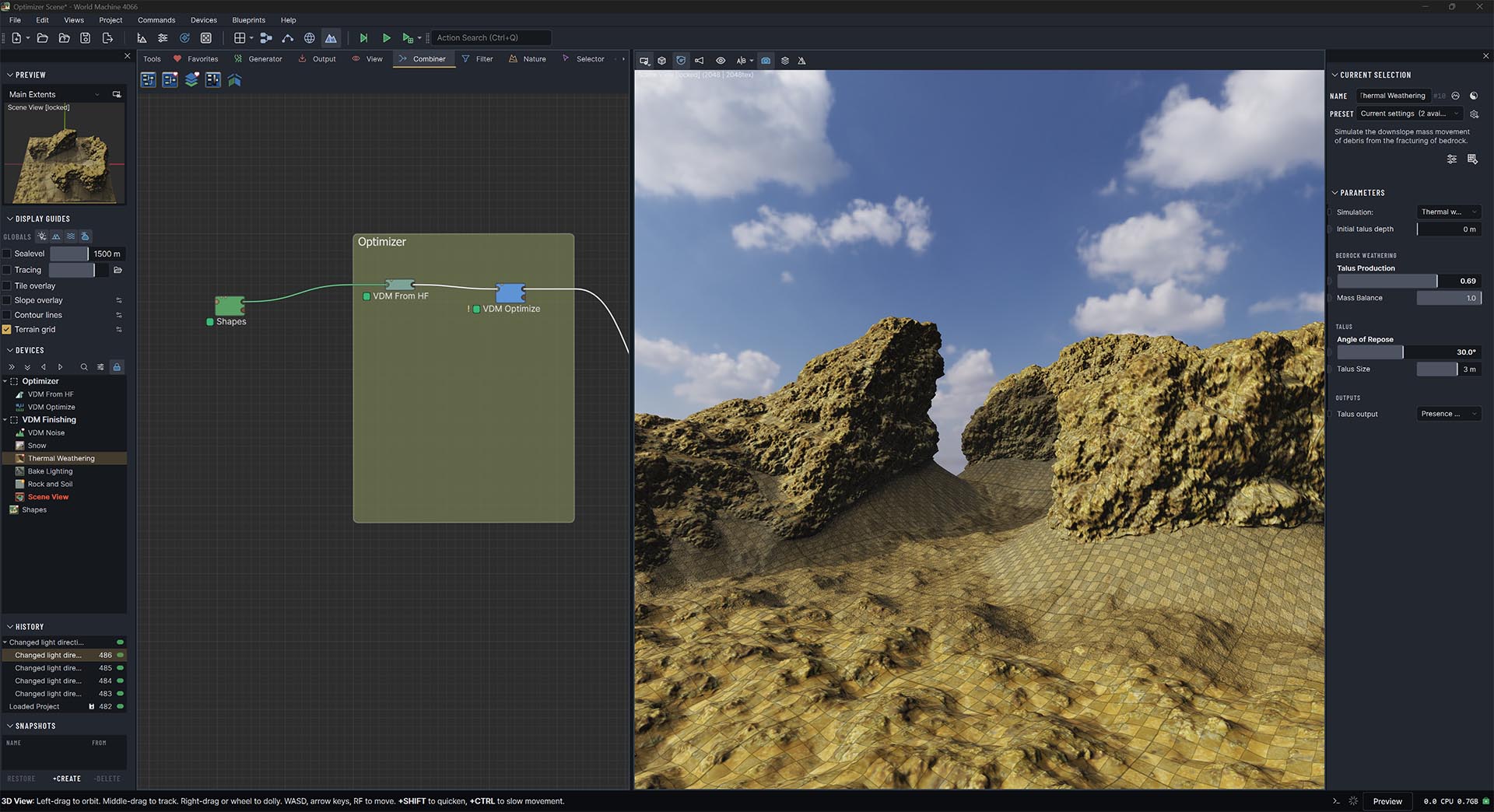
Cleaner dialogs
Nearly every window or dialog you work in got attention, and so did the window management around them.
Tear out or hide any section of the interface, save the arrangement as a workspace, and switch between workspaces as the job changes. Your current arrangement persists when you restart the app. Workspace arrangements automatically include your second monitor, if you're using it.
- The Library search now covers versions, authors and tags, and the tags are clickable, for finding the macro you half remember.
- Export Terrain Assets is both simpler and more powerful. Edit filenames in place, toggle the display of raw tags and the final names they resolve to, selectively export with one click.
- Build Status is color-coded, with sortable columns and timestamped logs. Sorting by build time is kind of fun, watching the expensive devices bubble to the top as they finish.
- Messages appear as cards you can ignore instead of modal dialogs you cannot.
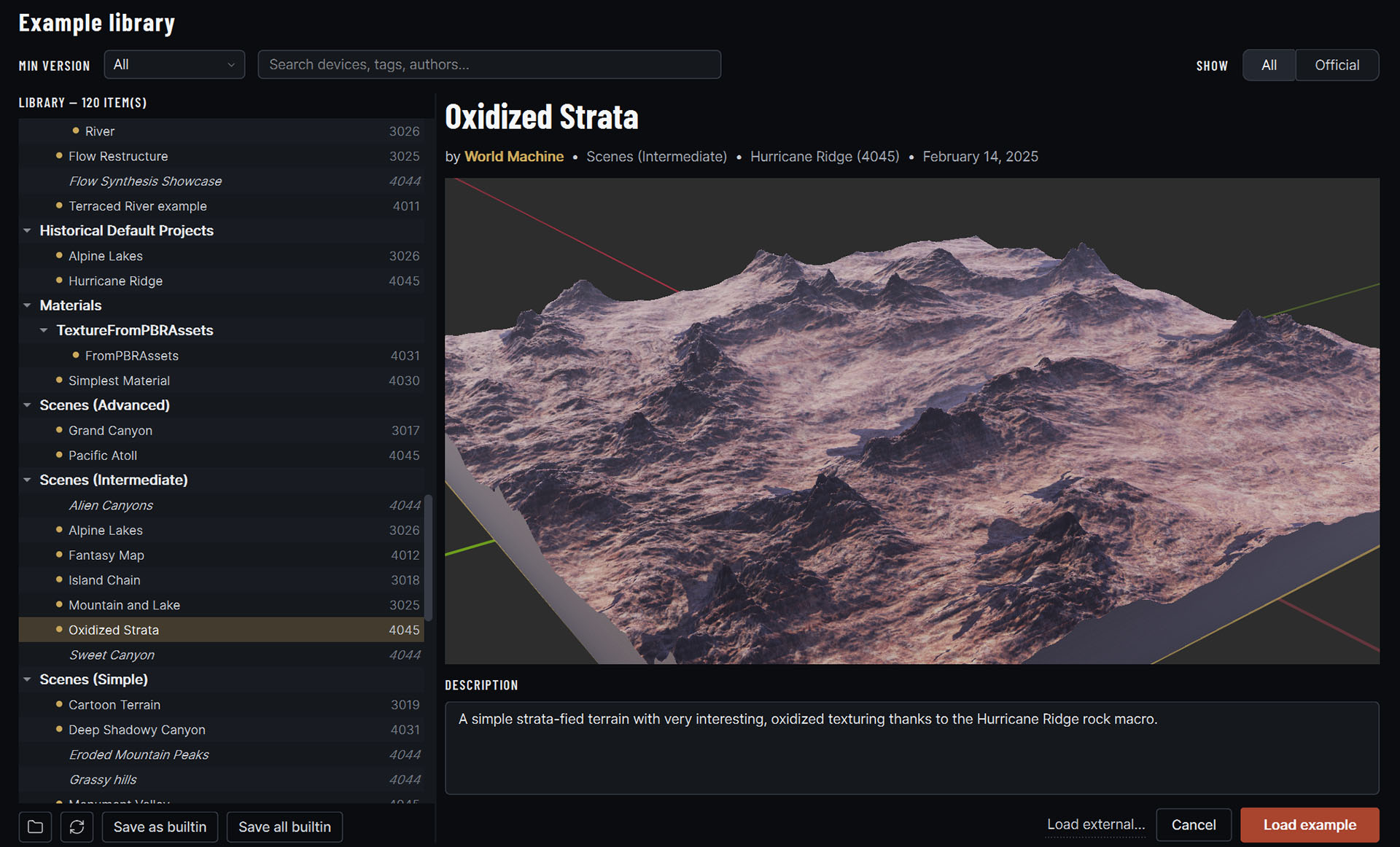
Small changes under the cursor
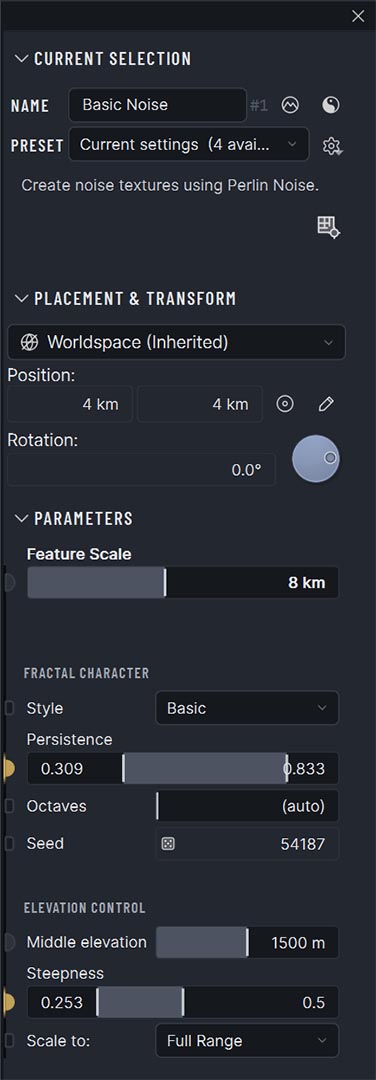
The rebuild goes all the way down to the individual controls you use to change a value. The parameter widgets in particular got a lot of attention.
One control
The slider and its edit box are the same widget now. Hold Shift while scrubbing for fine control or Ctrl for coarse, and double-click to type an exact value, the way Blender has trained everyone to expect. It stays usable squeezed into a narrow panel.
Every number is draggable
Plain edit boxes scrub too, including the device origin fields. Positioning a device by coordinate used to mean typing two numbers and rebuilding to see what happened; now you drag one and watch.
Parameter ports on the panel edge. The spatial parameter buttons became a rail of real ports down the side of the parameter pane, one for every setting that can be driven.
Click a port as before, or drag a wire straight out of it into the workview and connect the device that will drive it. Wiring a parameter is the same gesture as wiring a device now.
Less friction in a big graph
Dragontail Peak put a round of work into graphs that have outgrown a single screen, both in the workview you arrange them in and in the builds and previews underneath it.
Working in the graph
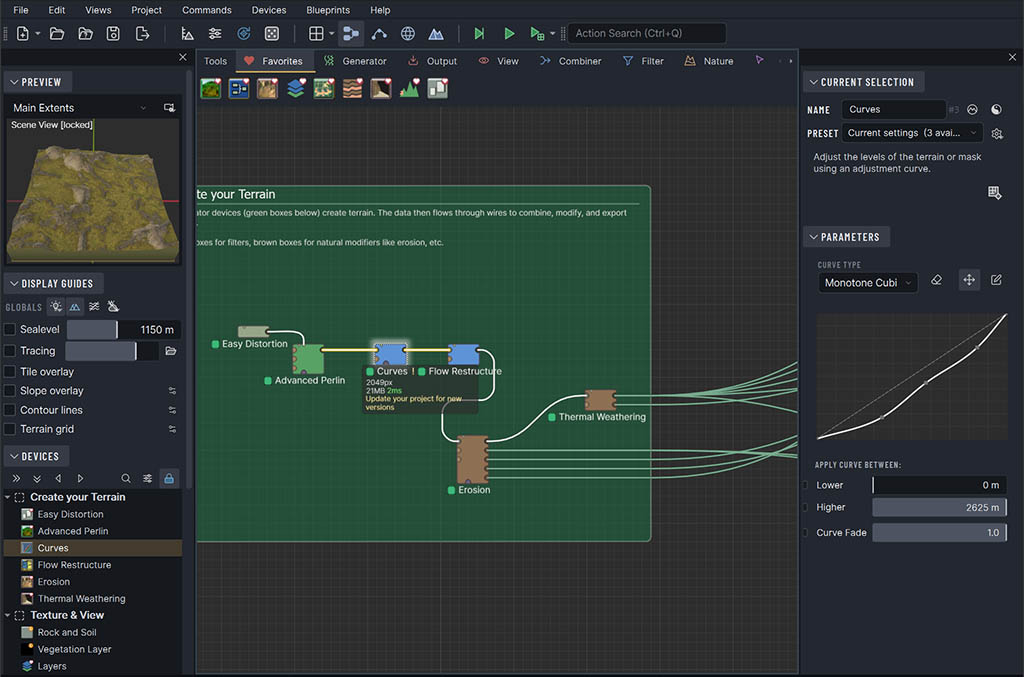
- Wire Slice cuts through several wires with one stroke, and Organize tidies a graph that grew faster than you meant it to.
- Reveal in Workview jumps from something you selected in the viewport back to the device that made it, and double-clicking a device in the browser does the same.
- World Machine stays responsive in worlds holding hundreds to thousands of nodes.
- Versioned macros and Code devices: the workview flags a device that has a newer version in your library, and the project can adopt it in place rather than you rebuilding it.
Building while you work
- Each device shows its size and build time in the graph.
- Build & Export is one button, and the tile overlay drapes across the terrain in 3D so you can see where the boundaries actually fall.
- Narrow-focus preview renders only the device you are working on at full detail, which saves a great deal of memory at high resolution.
- Several previously serial devices now run in parallel.
Lighting and navigation, rebuilt
Dragontail Peak rebuilt it: a real sky to light the terrain and a camera that behaves when you get close.
Light
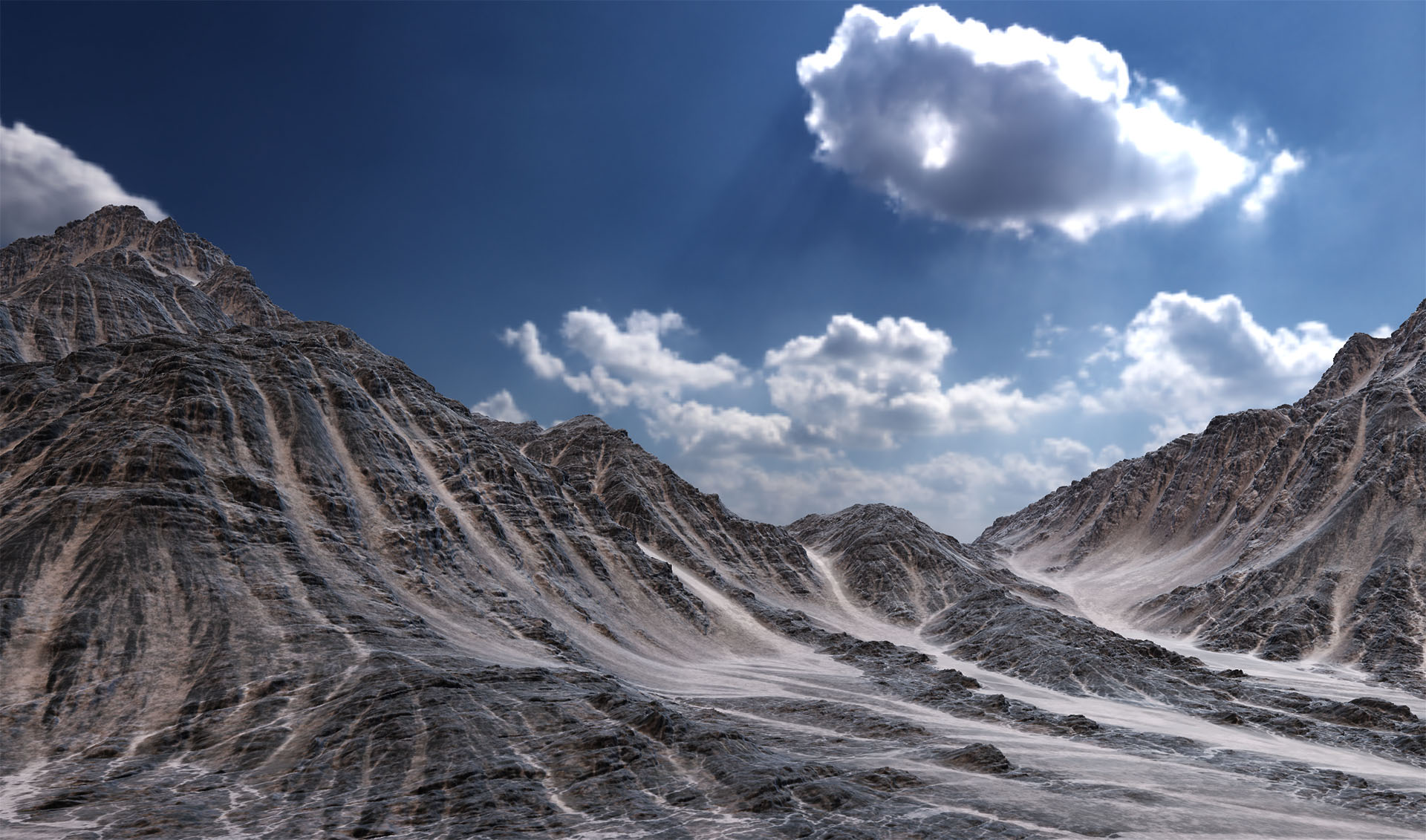
- Load an HDR panorama and World Machine uses it as sky and light source together, so the terrain picks up color and reflection from the environment around it. It looks good, but it also makes it much easier to read the undercuts and vertical faces exposed by VDMs.
- Soft penumbra shadows in the Lightmap device give sun shadows a more realistic soft edge.
- Exponential height fog lets distant terrain fade naturally into the horizon while mountain peaks stay visible above it.
Getting around
- The legacy viewport navigation was frustrating to use when you were up-close. The new navigation model makes the camera pivot about the terrain under it rather than a point somewhere off in the distance, so you can get down to a cliff face and look around without the whole view swinging away from you the moment you move.
- An orthographic camera available everywhere, transitioning smoothly out of perspective for judging layout without foreshortening.
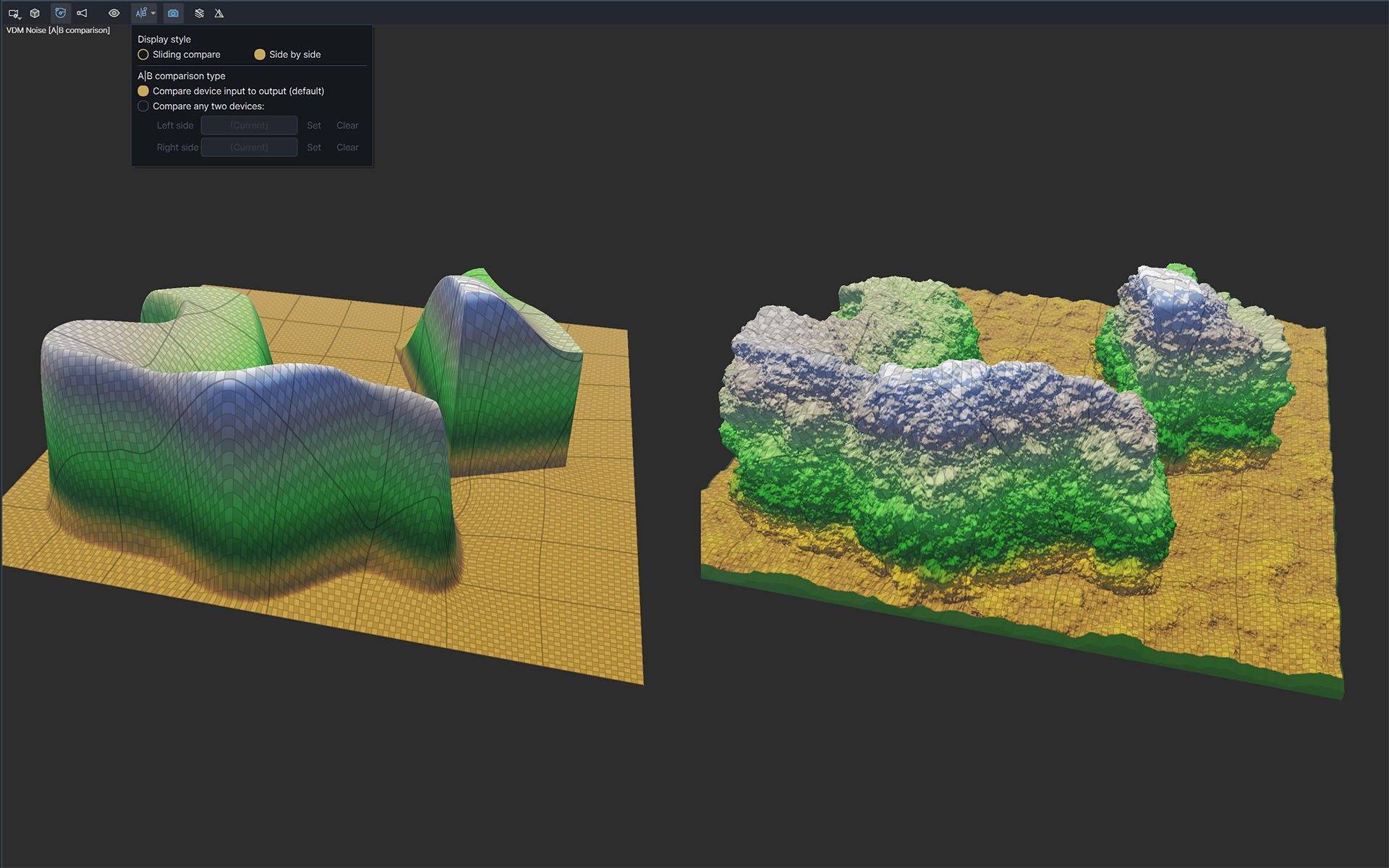
- A new A:B comparison side by side mode, for seeing what a change actually did.
- The old separate 2D window is gone, folded into the 3D view along with its layers list.
Material IDs are first-class data
If your engine represents materials with an ID per pixel, Dragontail Peak can carry that data directly instead of squeezing it through a grayscale heightfield.
IDs are data too
A material index is not a grayscale value. Dragontail makes material IDs for your engine first-class data. Byte/int grids are proper datatypes now:
- Viewing an int grid gives you a floating inspector that reads the value under the cursor... because a field of indices tells you nothing as a grayscale ramp.
- The Material map and Splatmap can write byte-based material IDs directly.
- Select by ID builds a mask matching one ID or a range, ID Convert moves between IDs and ordinary heightfield masks, and the Code device fully supports ID grids.
Export improvements
- Height export gained an RGB EXR variant, which exists because Godot wanted it.
- Quick export lives in any device’s right-click menu, for when you want data out of one node and have no interest in wiring up an output device to get it.
- Meshify handles VDMs for both regular and optimized output, and Mesh Output can write GLB files directly.
- ID grids can import and export via File Input/output nodes. World Machine resizes them without inventing intermediate ID values.
Scripting
Slang in the Compute device
Your custom Code devices can now use GPU compute shaders written in Slang. Slang is a modern programming language for compute, compatible with HLSL, and runs on Vulkan and Metal.
A scripting IDE
A built-in script editor makes automation scripts much nicer to work on inside World Machine. Access your script files, a reference guide, and examples all in one place. Scripts can also drive filenames directly with a <var:name> tag in any filename.
Saving should be boring
So should a build that outgrows your RAM, and so should staying up to date. Dragontail Peak put work into all three, and the worst case for data loss is now impossible.
Saves are atomic
Projects and autosaves write to a temporary file and swap into place. A crash during a save could previously take the project down with it: rare, and catastrophic when it happened. The swap makes it impossible.
Paging you can rely on
Hurricane Ridge introduced the new memory and paging system. Dragontail Peak chased down the edge cases and made it reliable. Large builds and previews can spill to disk when memory gets tight, without falling over or taking the rest of your machine with them.
It updates itself
The version checker became a real updater on all three platforms: it downloads and installs, automatically if you'd like.
Still in flight
Dragontail Peak is a release series, not a single build. It's ready for your production use today, and we will continue to update it until it is replaced by the next named series.
The roadmap has the rest of what is planned.
Get Dragontail Peak
If you already own a license, check whether your update window covers this release: it may cost you nothing, and every build inside your window stays yours to download for good.
If you don’t, World Machine Basic is free and always has been.