
Another significant framework change is around how macro and code devices are handled. As mentioned in the kickoff, stuff that reads more like What’s New? should probably be written for the Help Center instead of here, but there’s a huge backlog of changes to write about and so some of that is just unavoidable. WIthout further ado:
Unifying Devices, Macros and Code
Dragontail does something I’ve long wanted: It makes both Macro devices and Code devices (“Custom” devices) first-class citizens within World Machine.
What does that mean?
- Macros, Code devices, and built-in devices all appear together in the Devices menu. (There is no more Macro menu). If they’re from your custom library, they gain a small badge but otherwise they are treated the same as builtins.
- Full versioning support for custom devices. If you create an updated version of your device and save it to the library, loading a world that uses that device will show an update available, and you can one-click-update.
- Code plugin devices can be saved into and browsed from your library just like a macro.
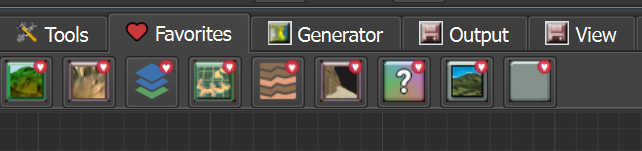
- All devices of any provenance can be favorited now and will show up together in a Favorites tab in the toolbar, menu, and quick-search dialog:
In support of that, I’m going to de-emphasize calling macros… well… Macros, inside of WM. It’s going to take a bit to change the habit 🙂
This change is quite new – the past week or so – and I still haven’t quite decided if custom devices should also appear in the toolbar categories with the builtins, if they’ve been assigned a family. I haven’t changed it yet but I’m leaning towards doing so. What do you think?
This all reflects the fact that there’s not really any functional difference between a code device, macro, or even a built-in device. At the end of the day, how they do what they do is an internal detail.1.
Versioning and the content library
This is actually a bigger deal than it seems. Once you have a reusable component that you’ve polished up and started using elsewhere, it’s virtually impossible to change without builtin versioning support. With versioning, all you do is save the changed macro to the library and WM will either auto-update loaded worlds using that macro, or prompt, depending on how breaking the changes are — just like the builtin devices.
Compute languages
The initial code device implementation uses OpenCL for user-written compute kernels. In my experience, it works quite well. There’s only one problem – the world seems to have decided that OpenCL is deprecated 🙁 . I knew this was the case during inital implementation, but unfortunately the GPU compute story is kind of a mess – there is no universally available gpu language for all platforms and manufacturers.
That didn’t matter so much when I was just targeting Windows, where both AMD and NVidia have decent GPU drivers these days. But OpenCL is hard deprecated on Mac, and that presents a real problem to cross-platform custom devices.
Now that Mac support is here, I needed a non-deprecated solution. I considered targeting WebGPU, which has a lot going for it even on the desktop. Then I ran across the Slang Shading Language (https://shader-slang.org). A modern project and now within the umbrella of Khronos, the folks responsible for OpenGL/Vulkan, it brings considerably friendlier ergonomics for writing compute shaders than OpenCL, but cross-compiles to Vulkan/Metal/DirectX.
Here’s the new equivelent “Hello World” computer shader in Slang.
// Slang Compute Shader - Hello World
// This shader generates a horizontal sine wave pattern
// Resources are bound as entry point parameters - matched to Lua args by position

[shader("compute")]
[numthreads(16, 16, 1)]
void helloworld(
    uint3 tid : SV_DispatchThreadID, // Thread ID
    RWTexture2D<float> output,
    uniform float waveSize
)
{
    // No-op if outside of grid domain
    uint width, height;
    output.GetDimensions(width, height);
    if (tid.x >= width || tid.y >= height) return;

    // Calculate UV coordinates [0, 1]
    float2 uv = float2(tid.x, tid.y) / float2(width - 1, height - 1);

    // Generate horizontal sine wave
    float r = 0.5f + 0.5f * sin(uv.x * 3.14159f * 2.0f / waveSize);

    // Write directly to texture
    output[tid.xy] = r;
}
Compared to the equivelent opencl code, at least in my opinion it is friendlier to read. And as a strong bonus, it is almost completely compatible with HLSL or GLSL-flavored compute shaders, which removes a lot of the problems of using yet-another-language.
There are a bunch more framework changes, but I think next time we’ll talk about some changes and new features in the 3D viewport.
Stephen
- There are a few observable differences.. Macros will tend to be less efficient than purpose-built devices, and GPU-based compute devices have a different set of memory restrictions and maximum grid sizes at play compared to CPU-based ones. But the point stands. ↩︎

Join the discussion at forum.world-machine.com