
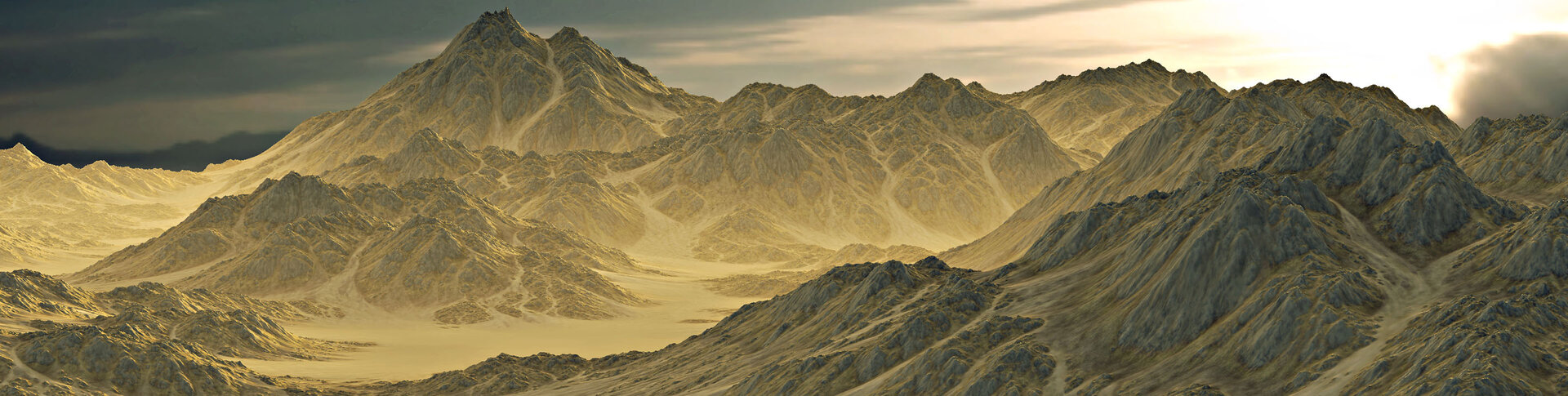
From fractals to a world you can ship
Latest release
New in Dragontail Peak
Terrain that can overhang
A heightfield cannot describe an undercut cliff, a sheer cliff face, or a sea cave. Every terrain tool has lived with that limitation.
Dragontail Peak adds 3D VDM terrain, so erosion can carve back under itself and the result is still UV-mapped geometry you can export and build on. Start with a heightfield or go VDM native.
You can optimise the surface to put geometry where it's needed, preserving the detail in cliffs and other complex surfaces.
An interface built for 2026
Dragontail Peak rebuilds nearly every dialog in the application on a new design system, with custom widgets in place of the stock controls World Machine had carried for years.
Panels tear off and re-dock wherever you want them, and workspaces save the layouts you work in, including multi-monitor arrangements, which now survive a restart. Icons and sliders got a full redraw, with fine and coarse scrubbing on every value.
A terrain tool is somewhere you spend all day. It should look and feel like it was built this decade.
Windows, macOS and Linux
World Machine now runs natively on all three. Your files will open and build on every machine in the studio.
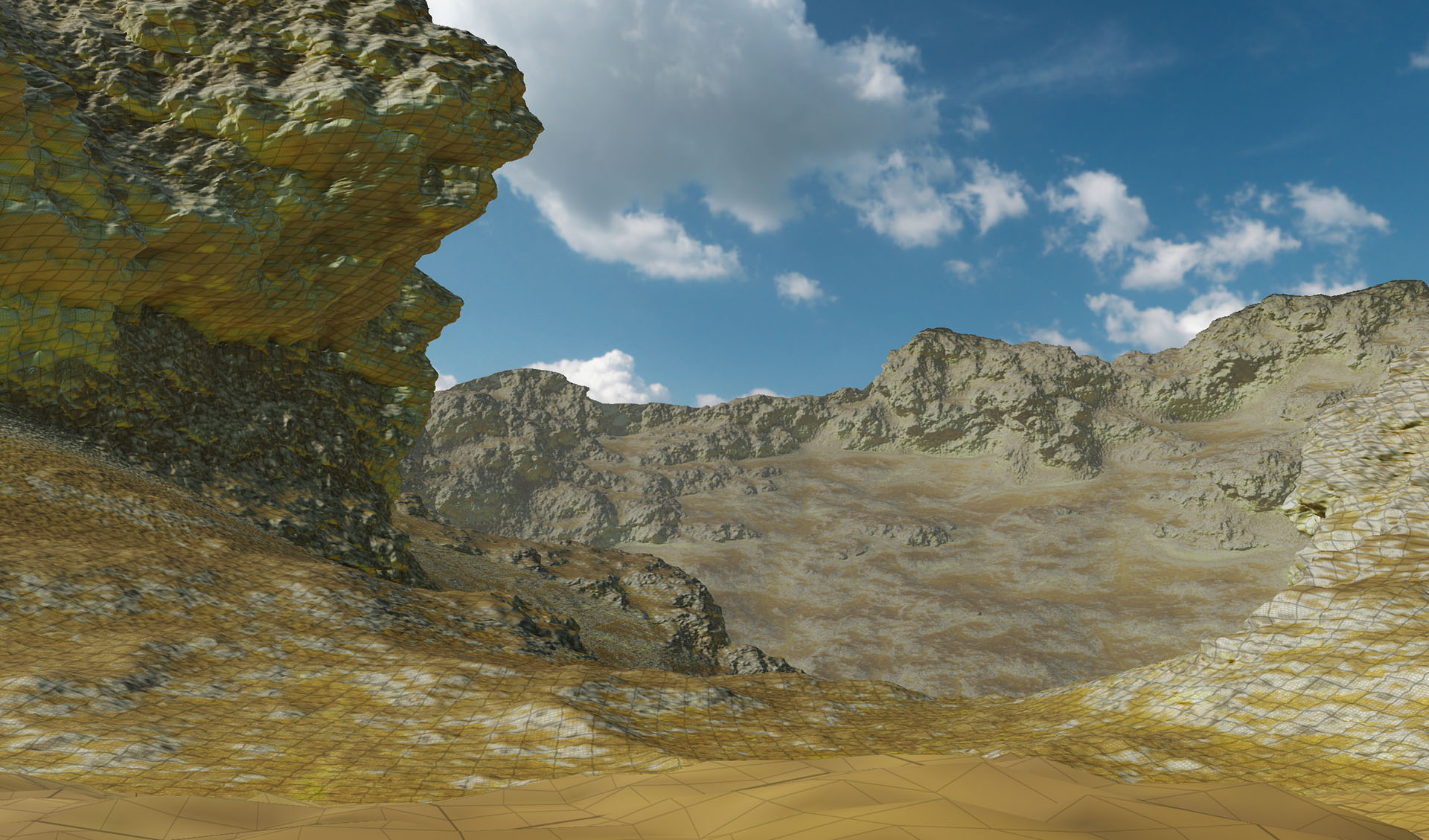
A real overhang, something a heightfield can never depict
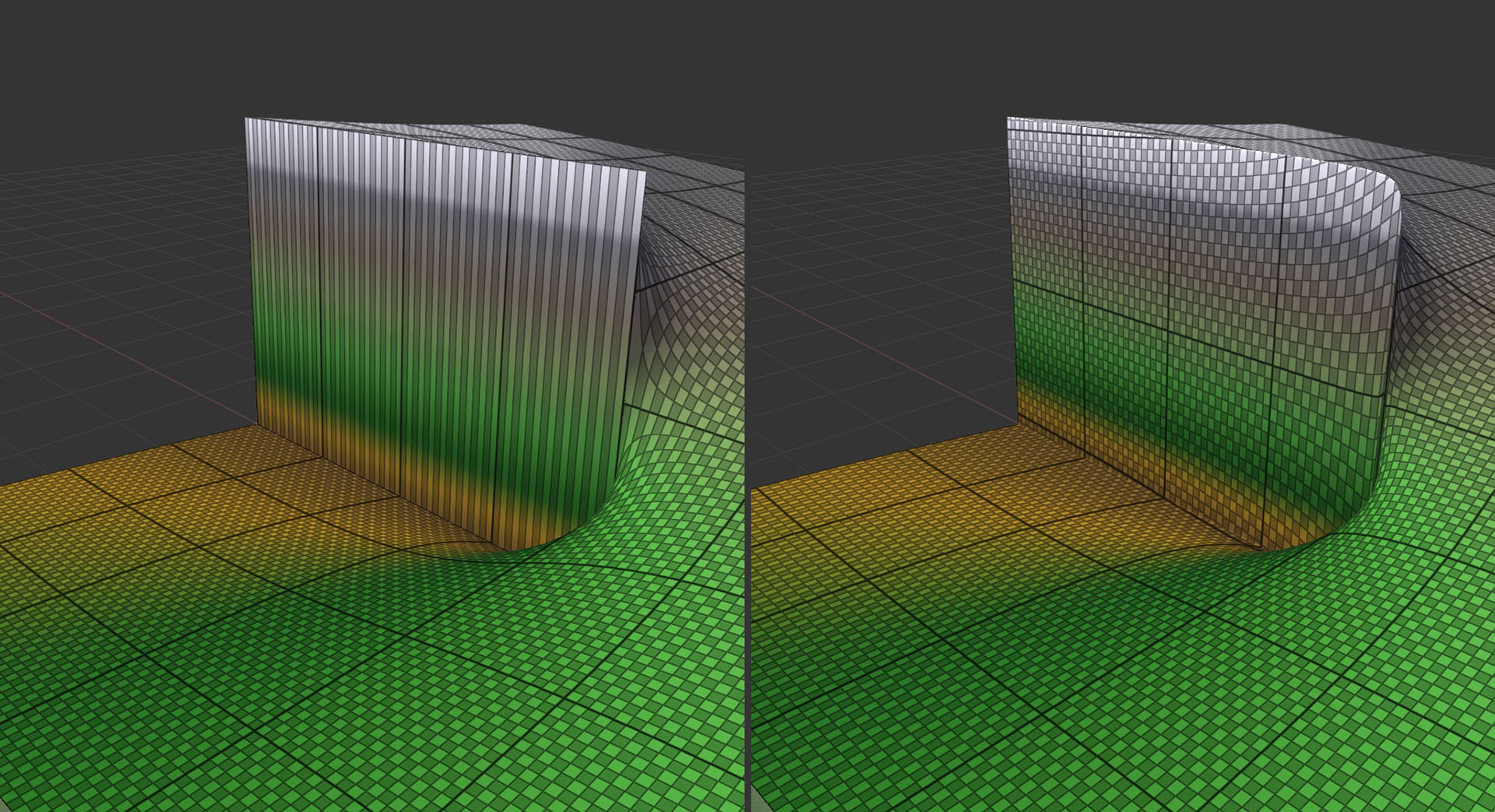
Optimised VDM can start with a heightfield (left) and put detail where the surface needs it
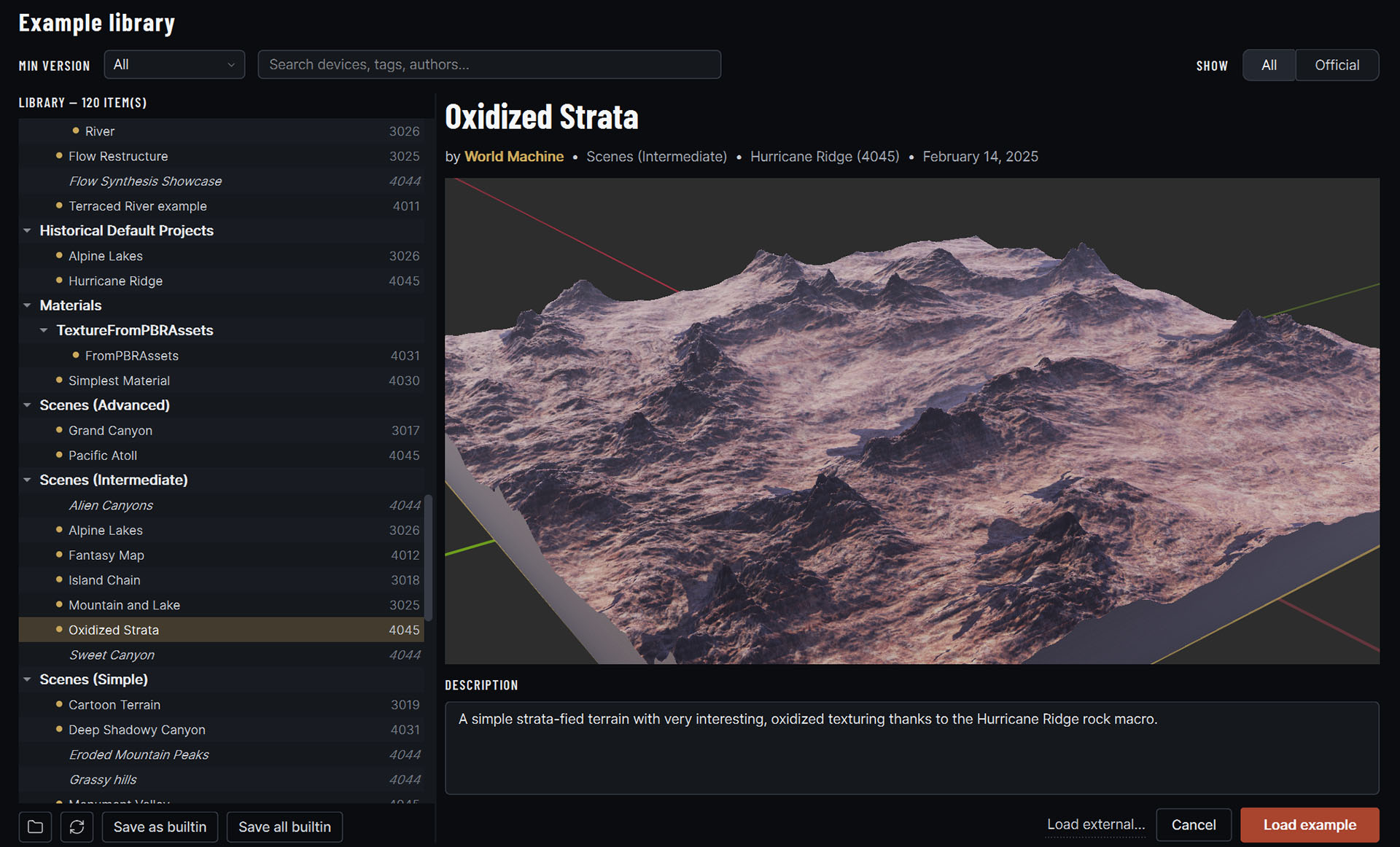
A new, more beautiful and functional user interface
Real erosion, not a noise filter
Watch it cut, live
Nature isn’t a perfect fractal. World Machine runs an actual simulation across your terrain: water picks a path, cuts a channel, carries sediment downhill, and drops it where the slope runs out.
Change a parameter and watch the landscape answer. This is the part of the tool people buy it for, and it has been refined over twenty years of releases.
And it got up to 100× faster
The Hurricane Ridge release rewrote the simulation core. Erosion runs up to 100× faster at high resolution, with order-of-magnitude gains in the noise generators and water tools alongside it.
Erosion stopped being the step you set running and walked away from.
From sea to snowy peak
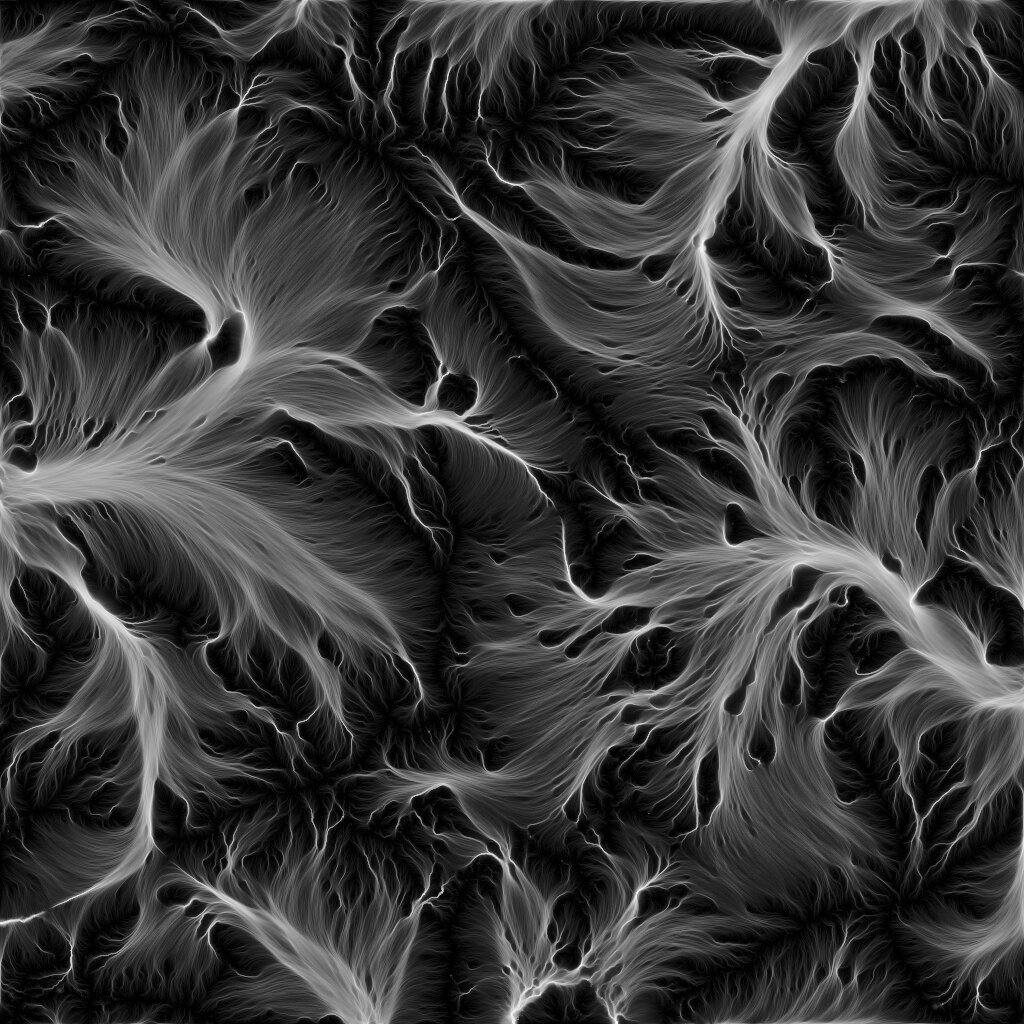
Flow-based erosion simulates the water dynamics that gully a hillside and wear a mountain down over geological time.
Thermal erosion decomposes cliff faces and piles the debris into talus slopes at the angle of repose.
Snow accumulation models snowfall and melt: snow falls, the wind drives it into drifts, and it softens everything it covers.
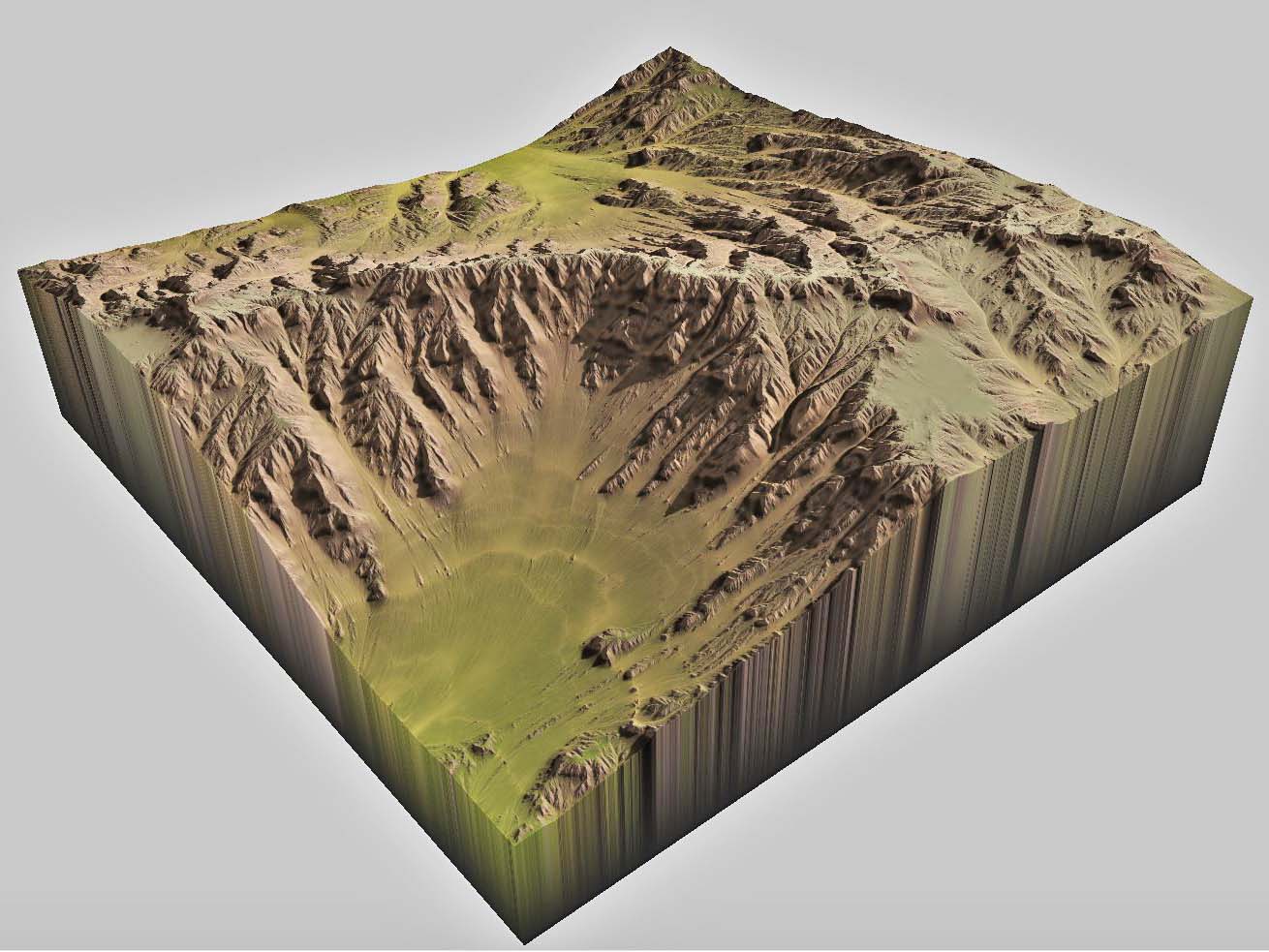
Flow-based Erosion
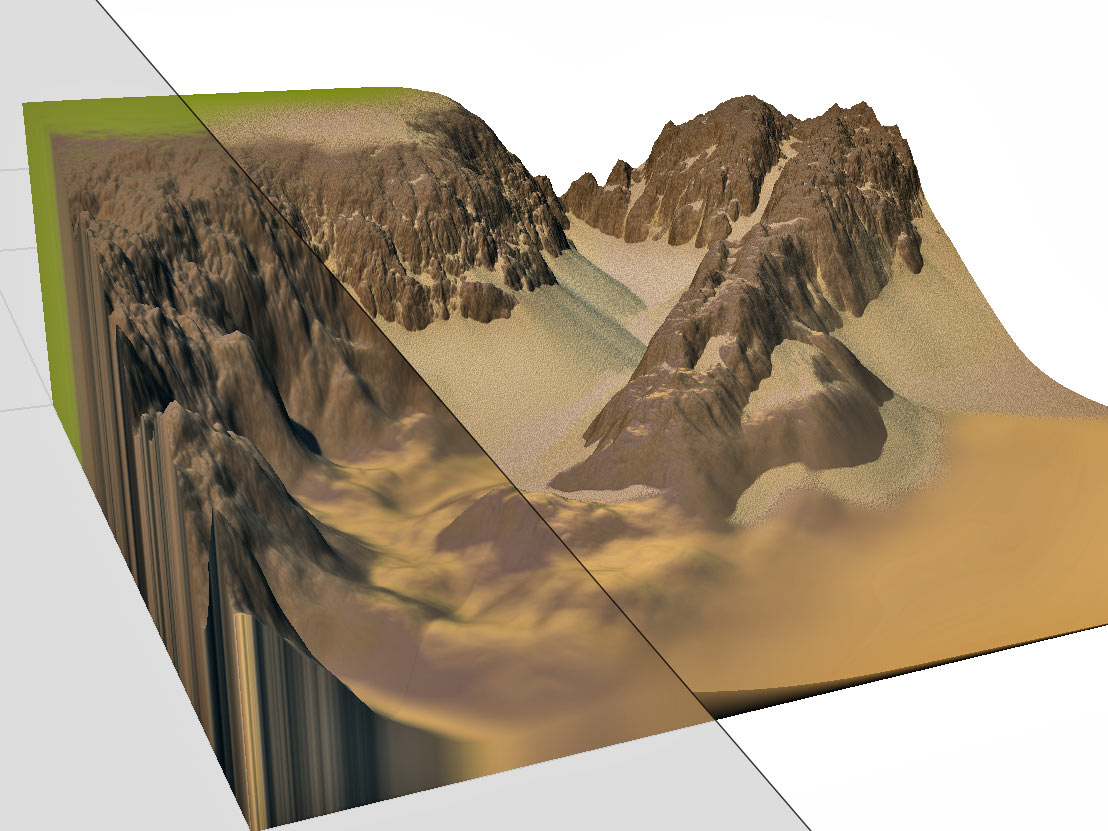
Thermal Erosion
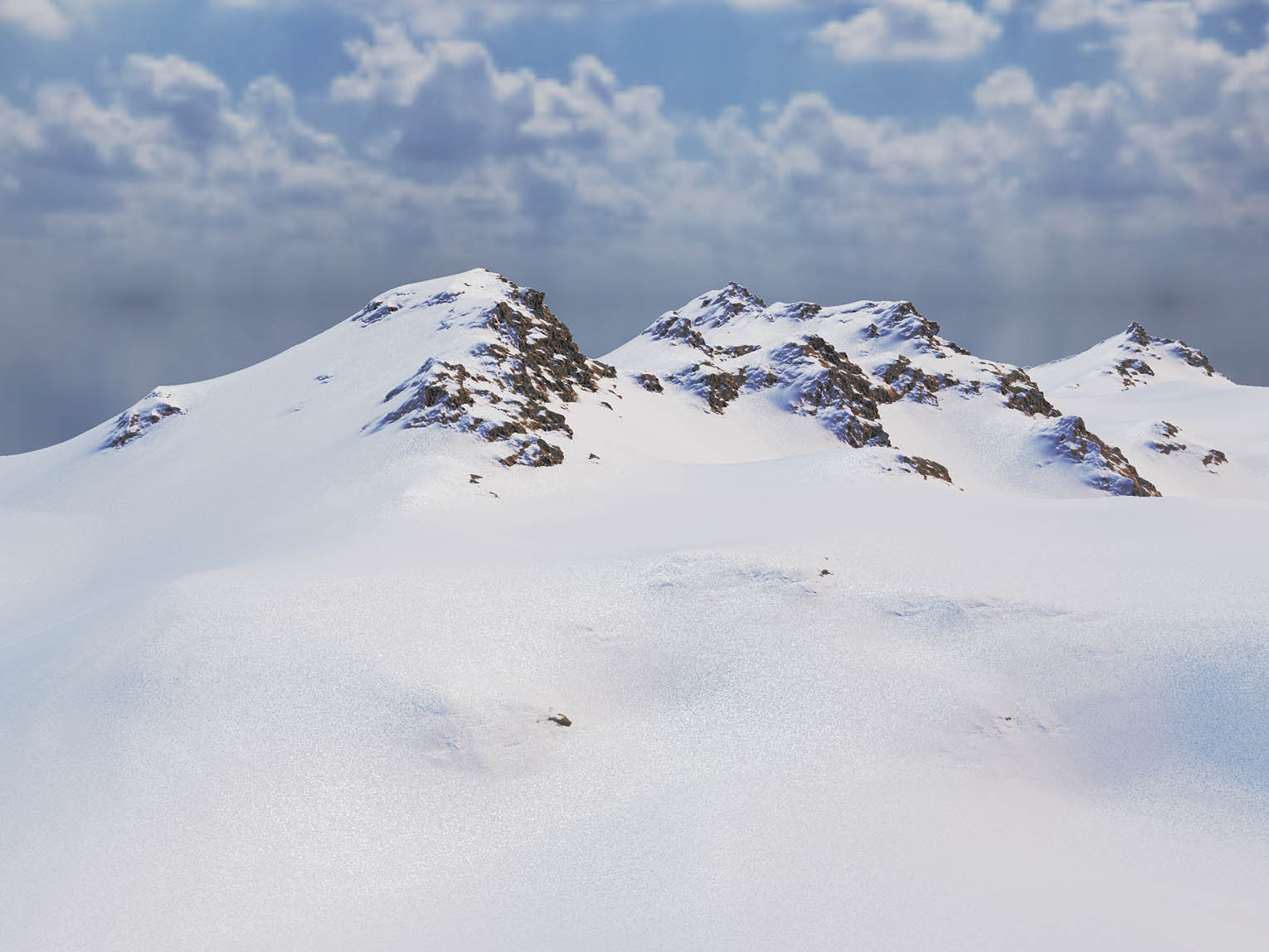
Windblown snow accumulation
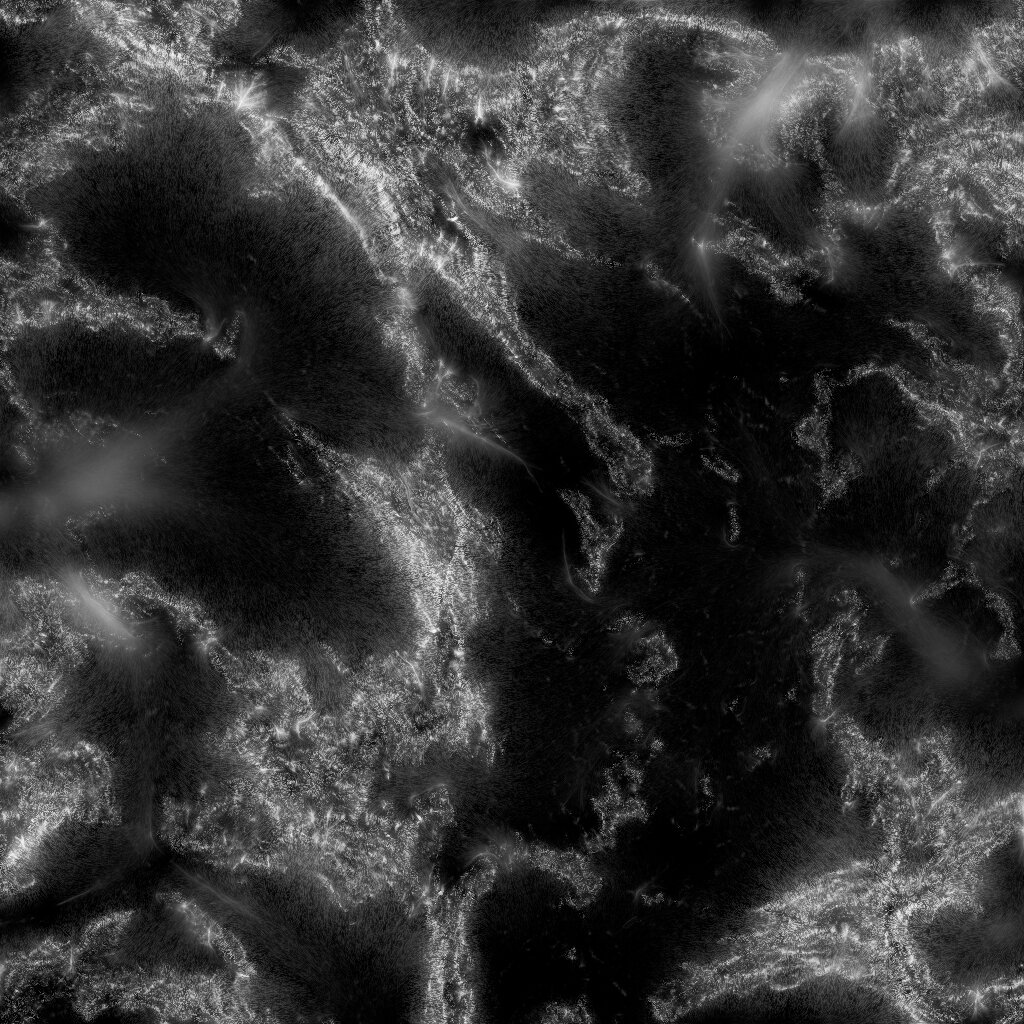
The simulation shows its work
It knows things about your terrain that you would otherwise have to guess at: where the water ran, where it cut, where the debris came to rest.
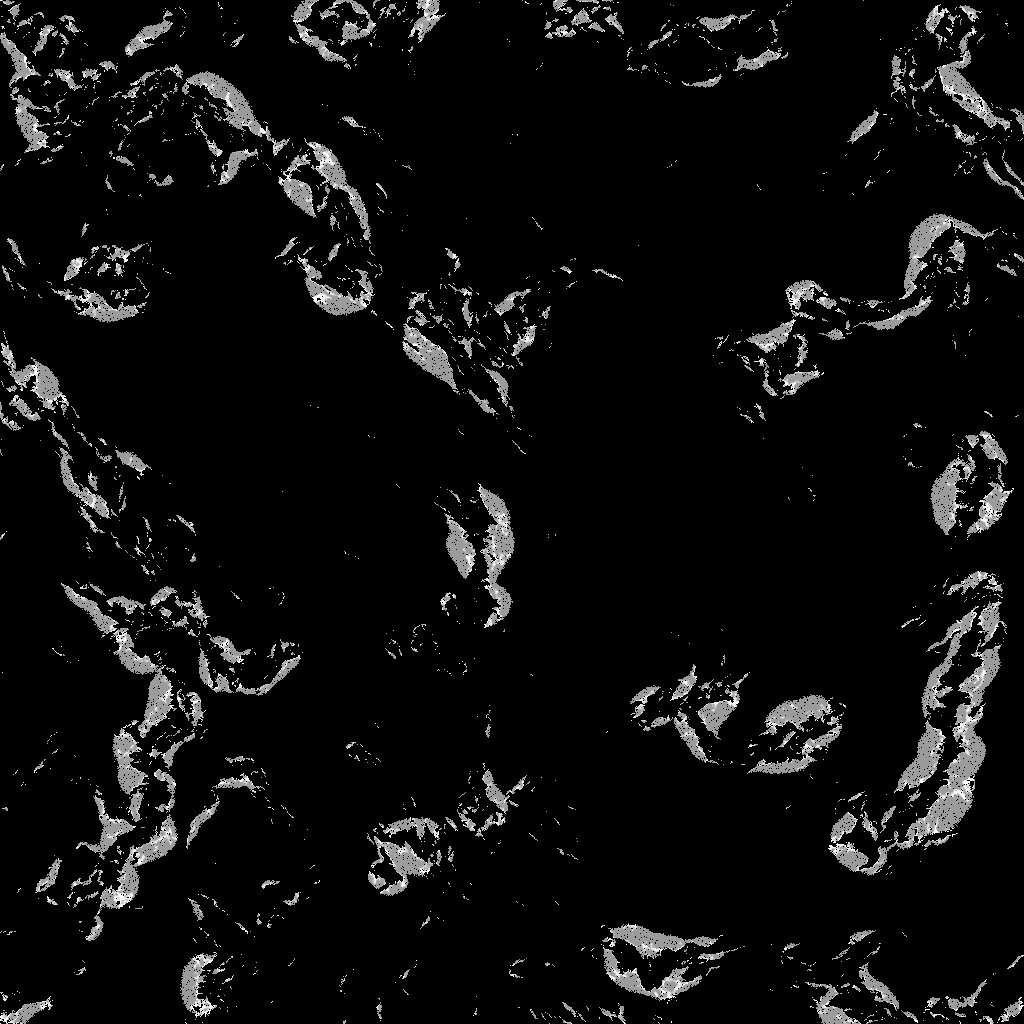
All of it comes out as masks alongside the terrain. That is what you reach for when you texture, when you scatter, and when you tell your engine what is walkable.
Click any image to see it full size.
World Machine gives us the power to create very realistic terrains in a short amount of time. Its erosion filters are the best I have seen, but also give a lot of control over the final look.
Water that finds its own way down
Water is geometry, not a blue plane
World Machine doesn’t paint water onto your terrain. It builds the water surface as a real 3D mesh: its own exportable object, sitting exactly where the hydrology puts it, and it comes out of the export alongside everything else.
It carries a flow vectormap with it: direction and speed at every point, solved from the terrain rather than authored by hand. That is what your shader needs to make the river actually move downstream, at the right rate, in the right direction.
And because World Machine derives that water from the terrain it belongs to, the two seam up perfectly on export. The mesh meets the bank exactly where the bank is. Nothing to nudge, patch or reconcile once it’s in your engine.
Draw a river, get a valley
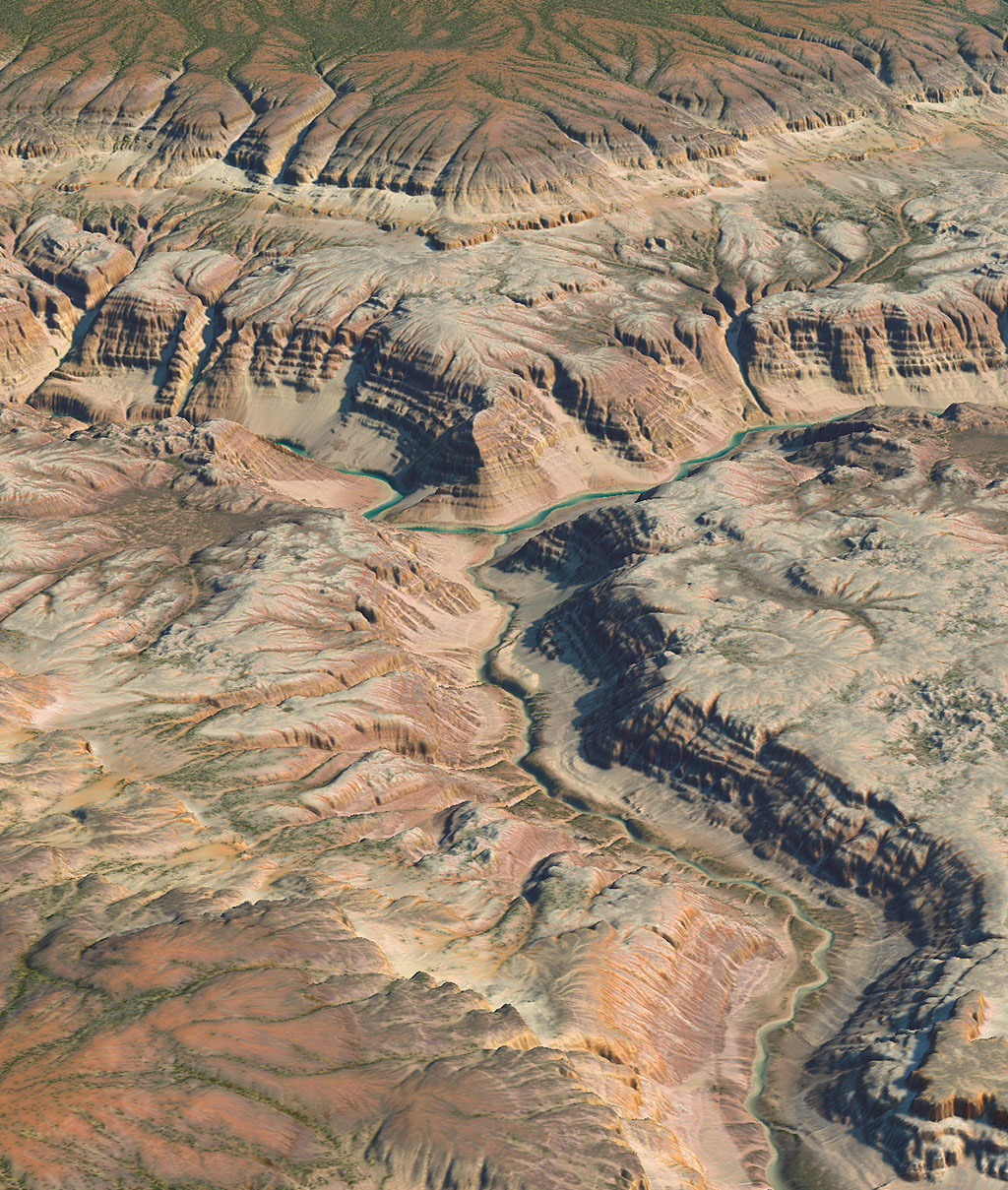
The River Tool lets you draw the course. World Machine generates what a river of that size would actually cut: meanders, riffle-pool sequences, and valley walls that match the water running through them.
It solves the flow on hydrodynamic principles rather than faking it, so the channel behaves like a channel, and the valley reflects the water that made it.
Beyond drawing rivers
Flow Restructure reworks any terrain so water actually reaches sea level: raising valleys, cleaving ridges, removing dead-end depressions.
Create Water lays in river networks automatically and forms lakes where the geology calls for them. You can also route water semi-automatically by clicking where it should start.
Coastal Erosion builds beaches, shapes the near-shore, and fills the ocean.
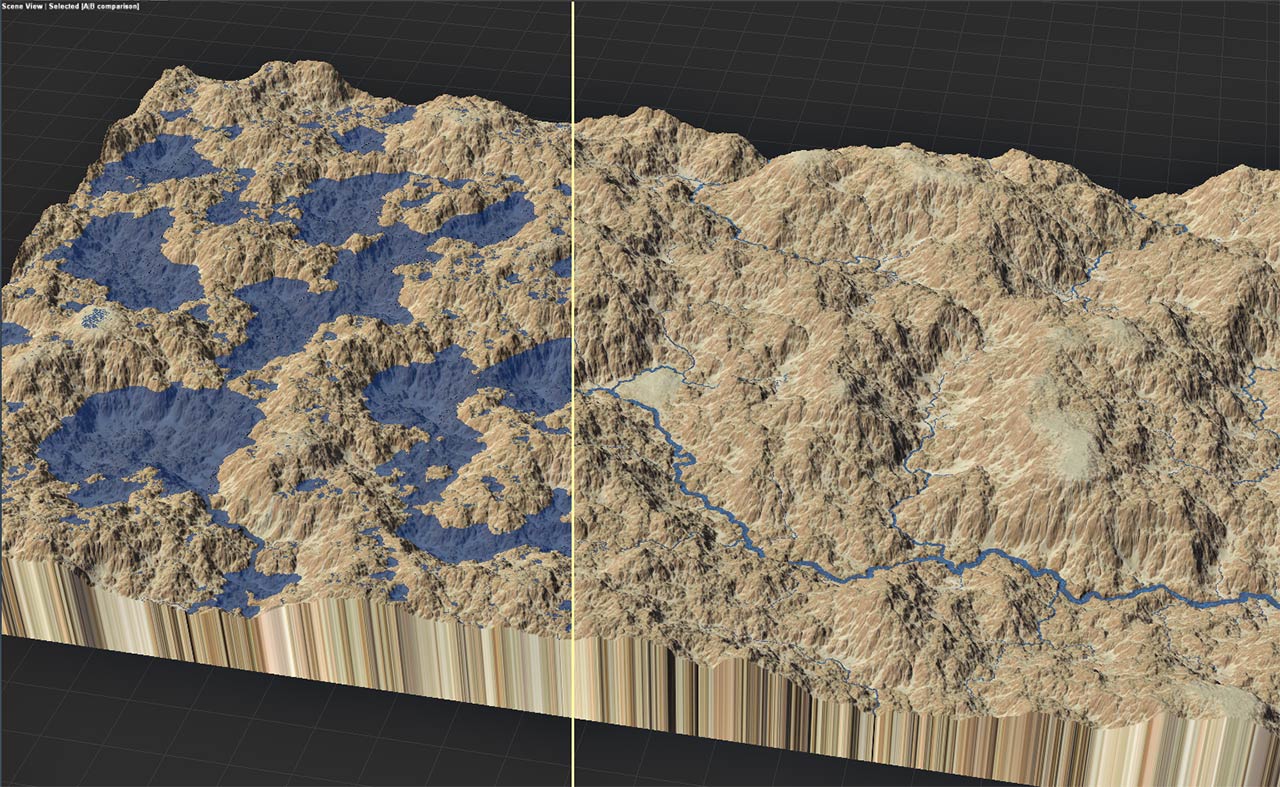
Flow Restructure
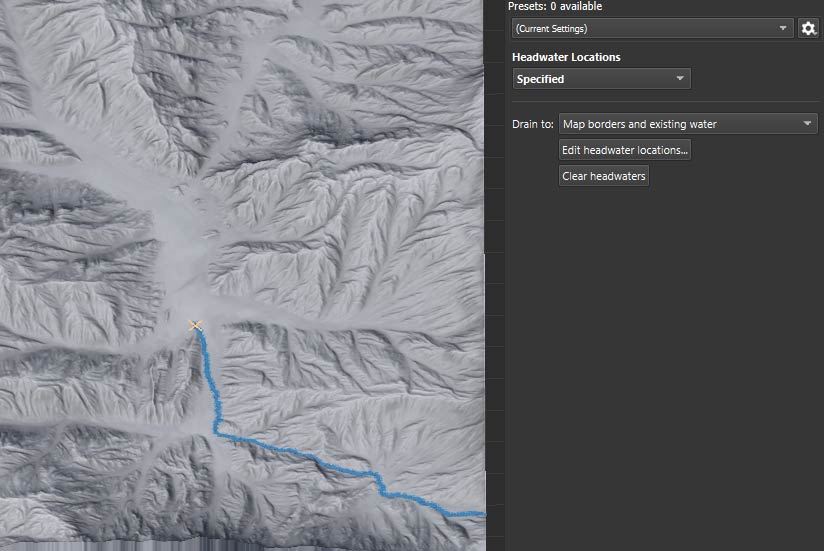
Create Water
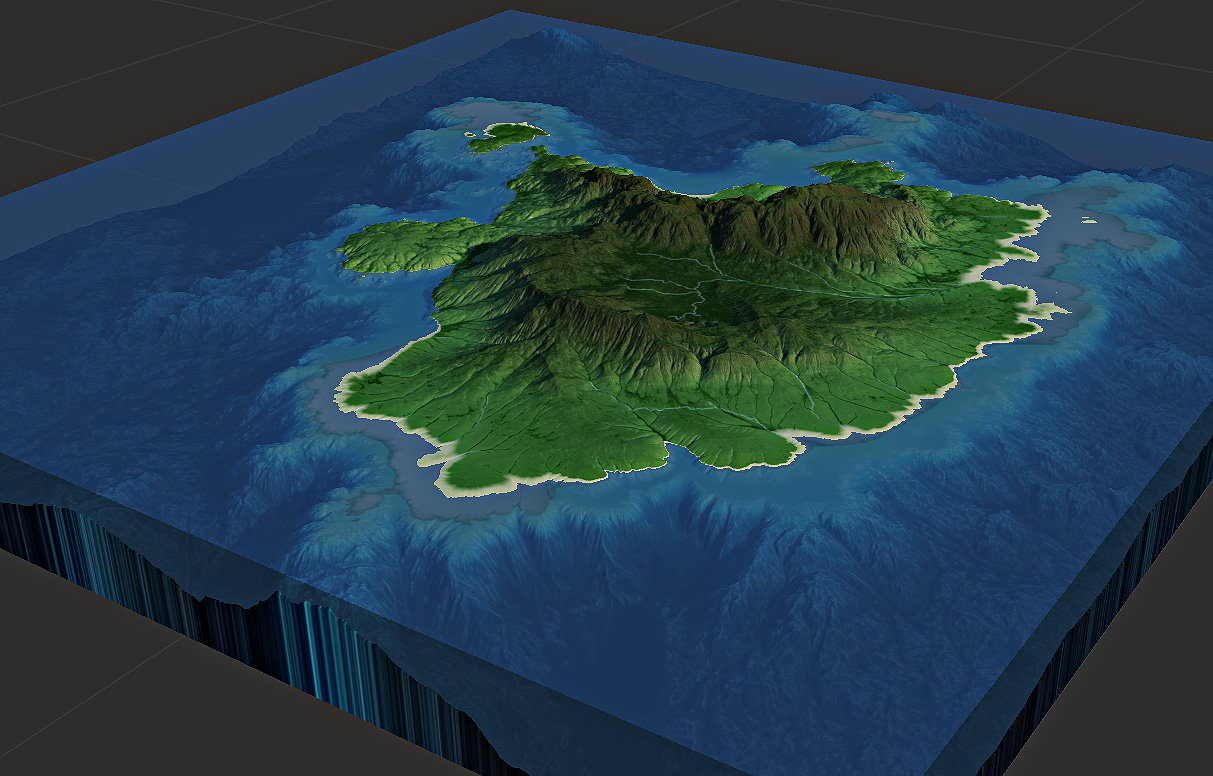
Coastal Erosion
Easier to try than to read about
The Basic Edition is free for personal, non-commercial work, including the erosion and water tools above.
Fractals & Layouts
Terrain as diverse as earth
Fractals worth building on
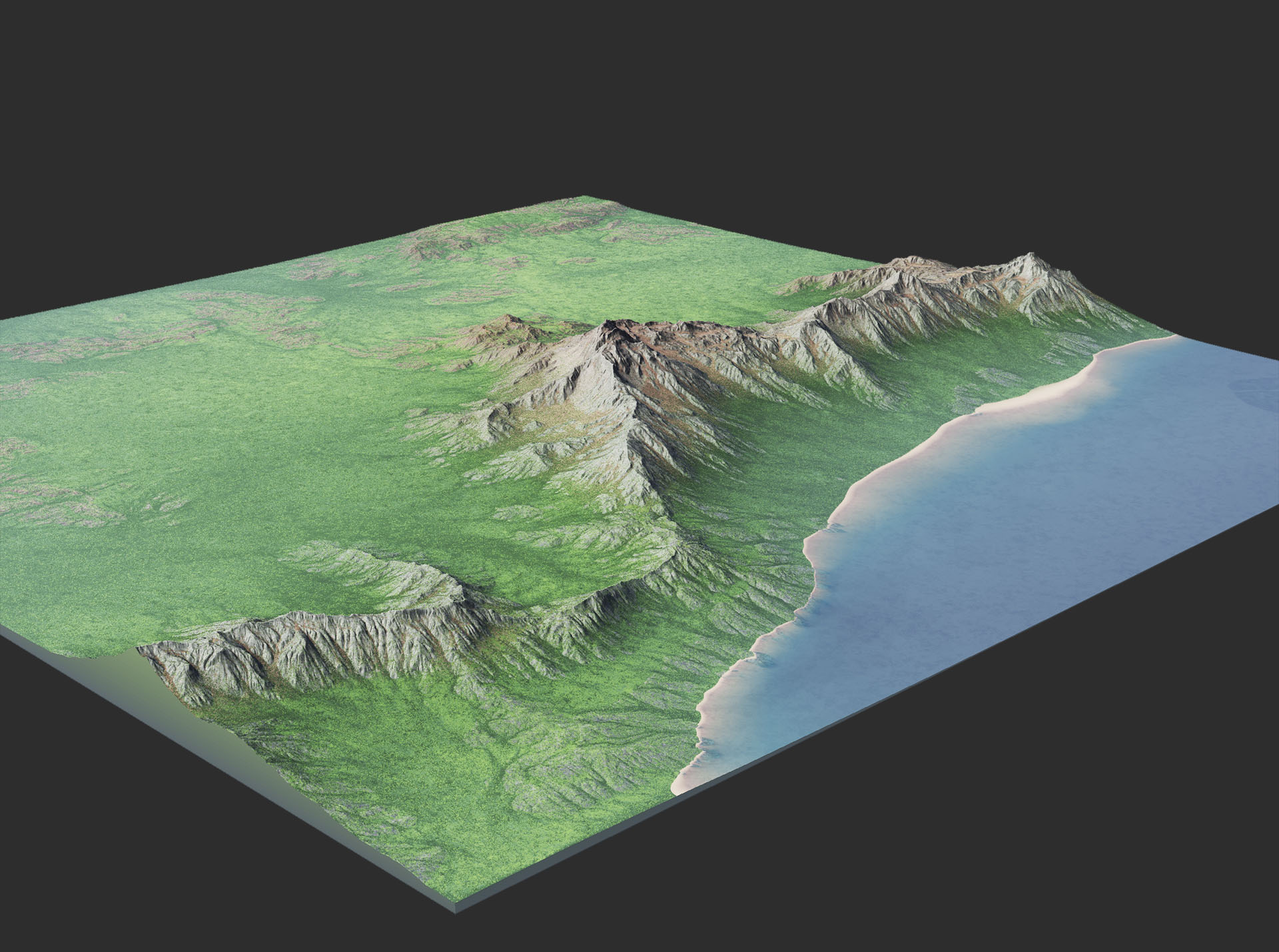
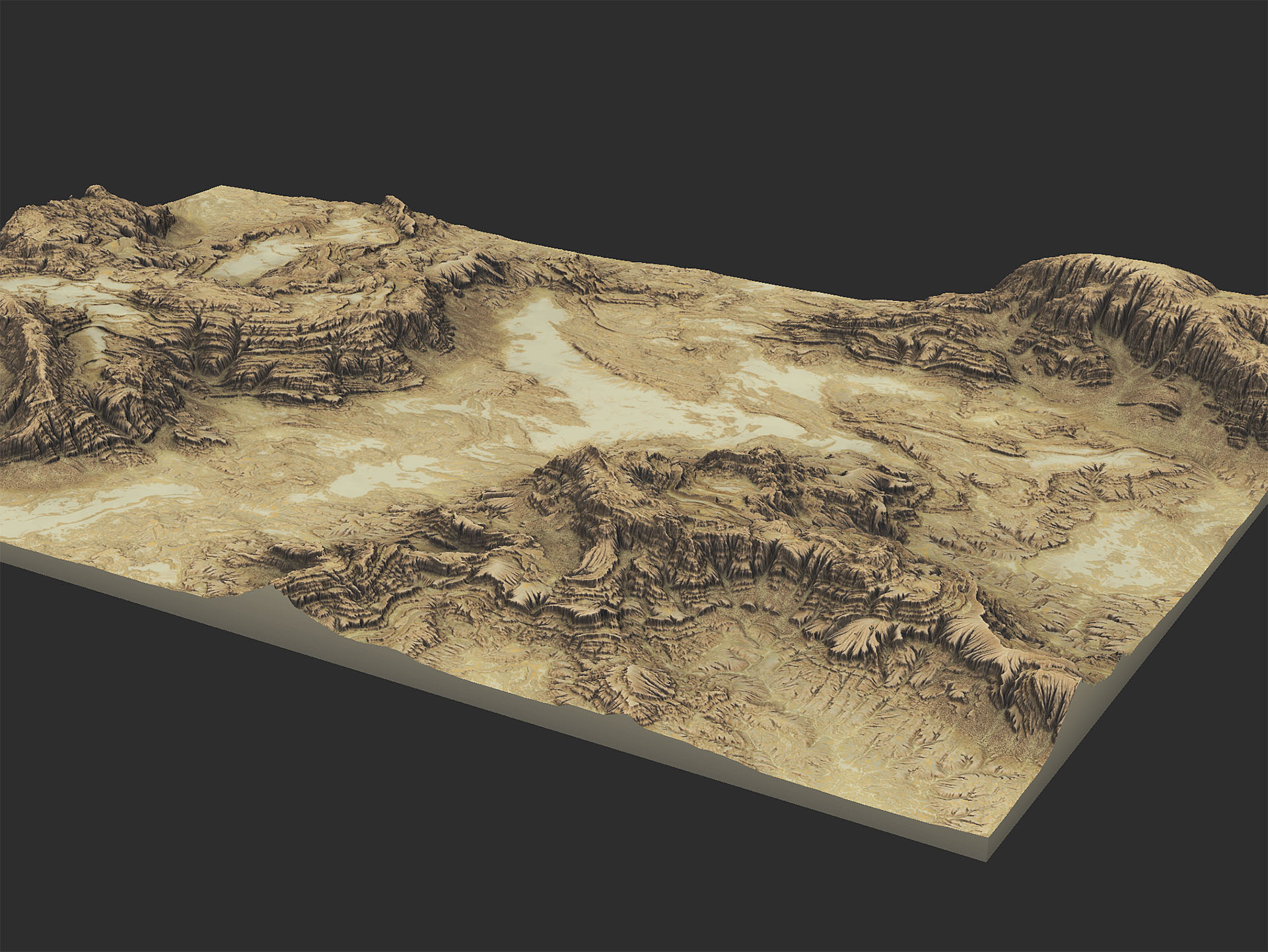
Plain fractal noise is where most terrain tools start and stop, and it shows: every ridge the same size, every valley the same shape, on forever.
World Machine’s generators let you blend, warp and localise fractals into distinct terrain types, then use different ones in different parts of the world. Hyper-realistic at one end, deliberately stylised at the other.
Say what goes where
Procedural does not have to mean random. Layouts put you in charge of the composition.
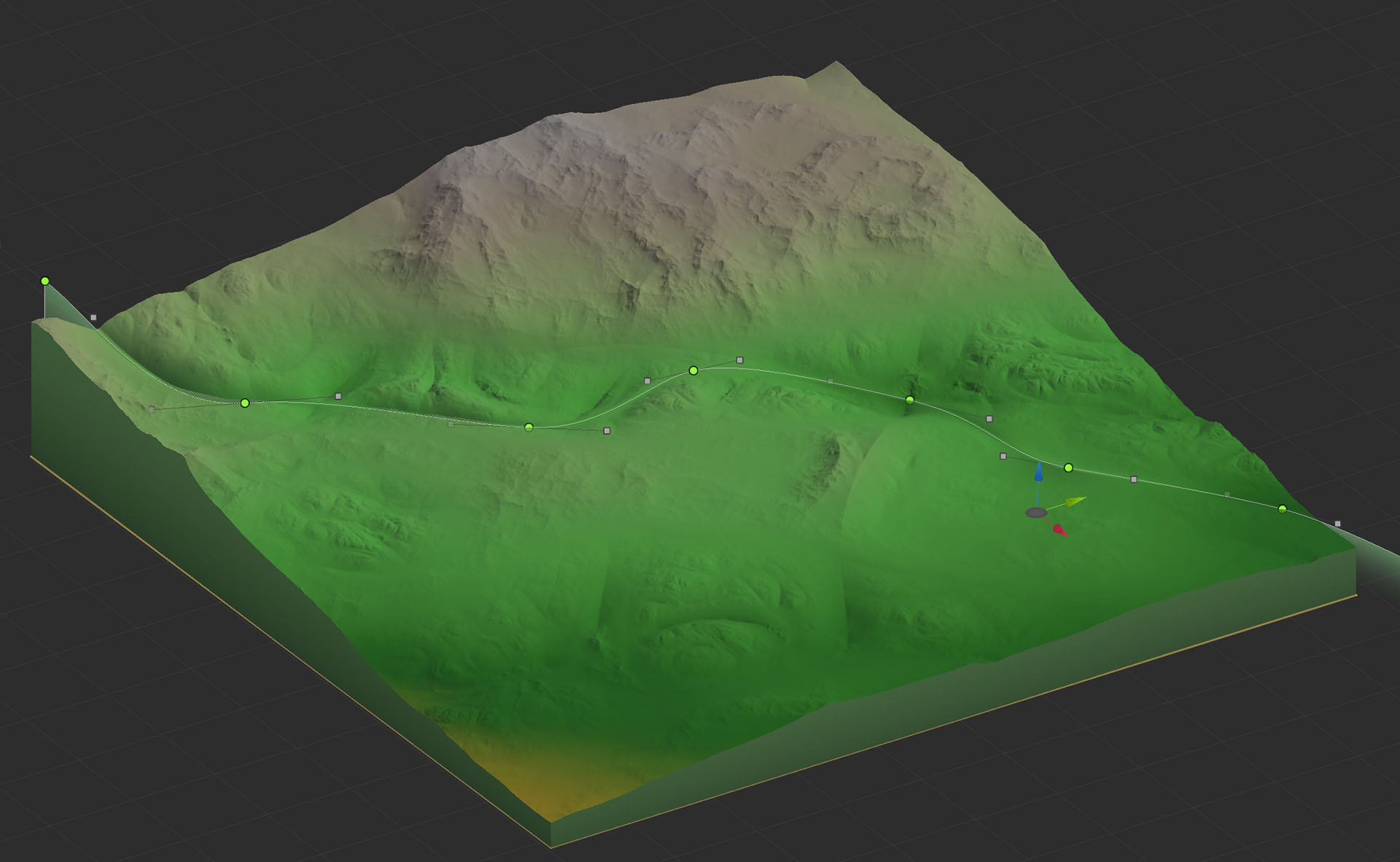
Sketch the coastline, mark where the range runs, drop in a road or a river, and World Machine fills in everything between, at whatever resolution you build at.
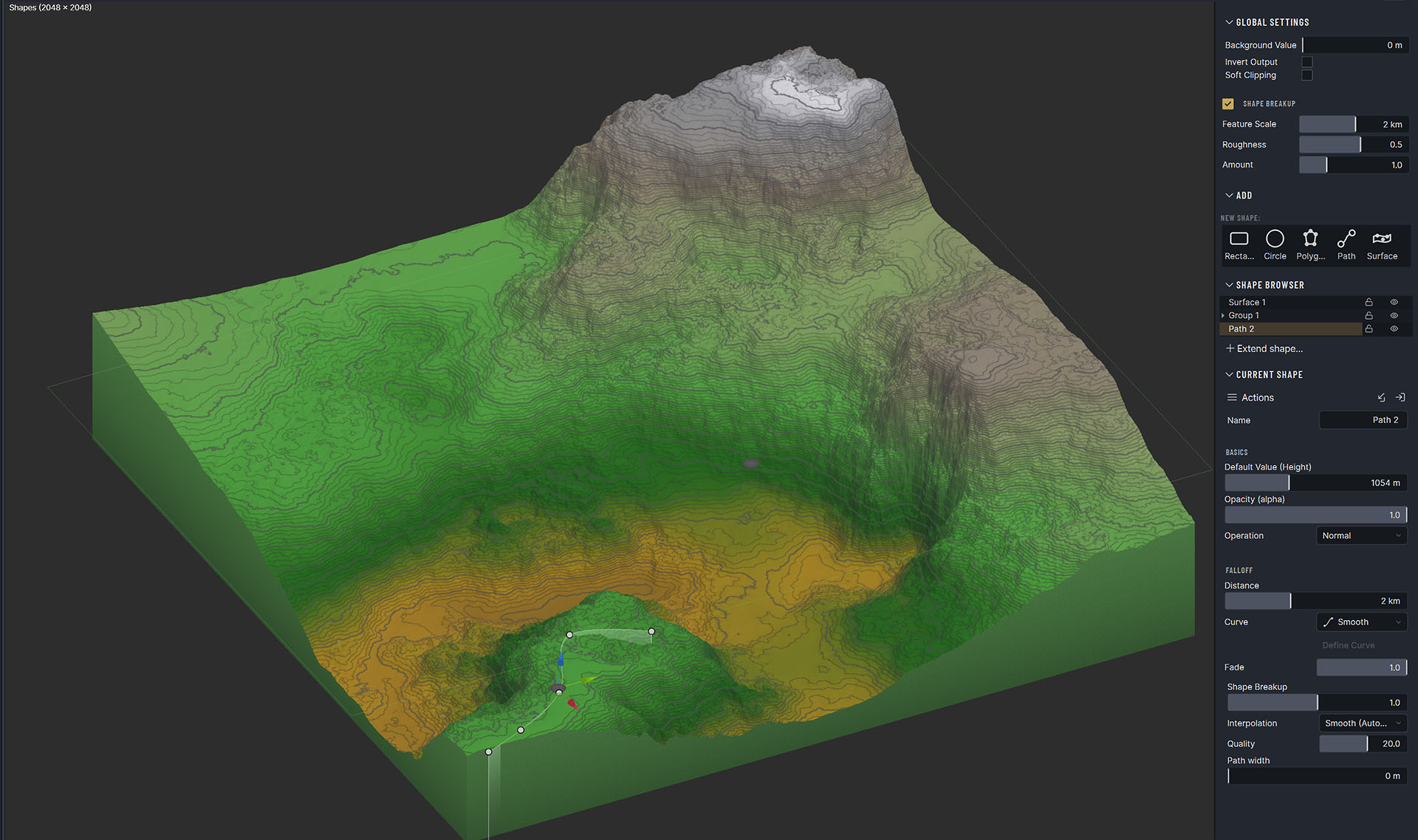
The shape tools are a proper vector editor, not a rough mask:
- Bezier and auto-smooth paths, with per-vertex height control and adjustable falloff
- Boolean compositing: add, subtract, intersect, behind, or within what’s already there
- Transform widgets, hierarchical grouping, and lock/hide, so a layout with hundreds of shapes stays workable
- An Interpolating Surface shape type for sculpting smooth forms directly
Materials
Drive texturing with simulation data
Terrain texture maps are traditionally created from elevation and slope alone. It makes your textures feel.. basic.
World Machine gives you a much richer set of masking tools, called Selectors, to orchestrate materials:
- Basic: elevation and slope, now with directional falloff, so a north face can read differently from a south one
- Advanced: roughness, wetness, water, surface convexity (with adjustable smoothing)
- Natural filter outputs: every simulation produces its own masks: sedimentation, wear, talus, snow and more
- Comparative: Compare Maps returns a soft comparison between any two maps. Select where sediment landed, or where one pass differs from another
- By identity: Select by ID and ID Convert build masks from discrete region IDs rather than continuous values
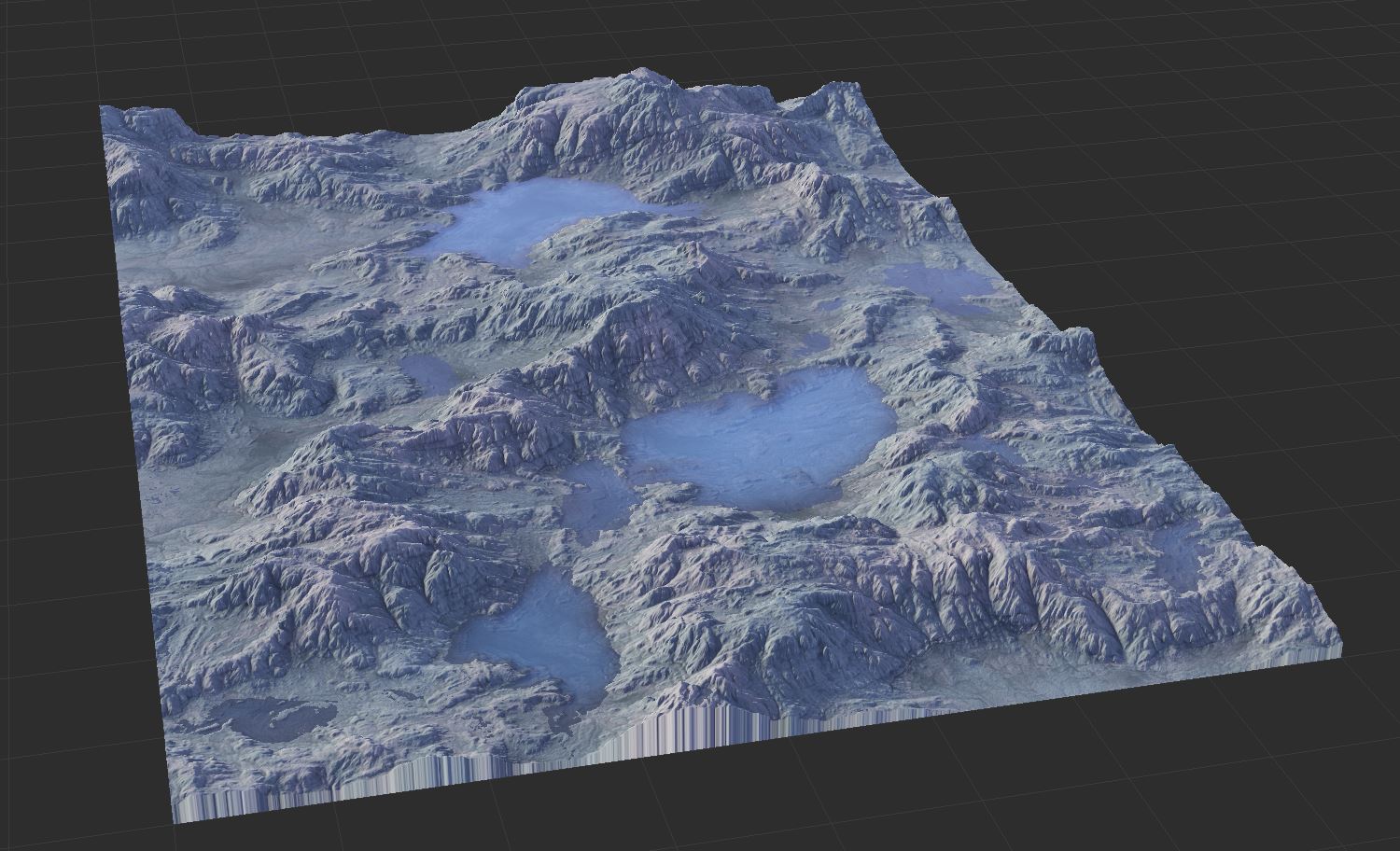
Put gravel where the water ran and lichen where it never does.
Standard PBR, start to finish
World Machine follows industry-standard PBR workflows, so your existing material libraries drop straight in, or you can build materials in the app.
It writes every channel you expect: diffuse, normal, height, roughness, metalness and ambient occlusion.
A set of ready-made material macros ships in the box if you would rather start from a look than build one: Bedrock & Soil for geology-driven colouring, Vegetation Layer with adjustable season, and Coastal Layer for the shoreline and everything under it.
Click any image to see it full size.
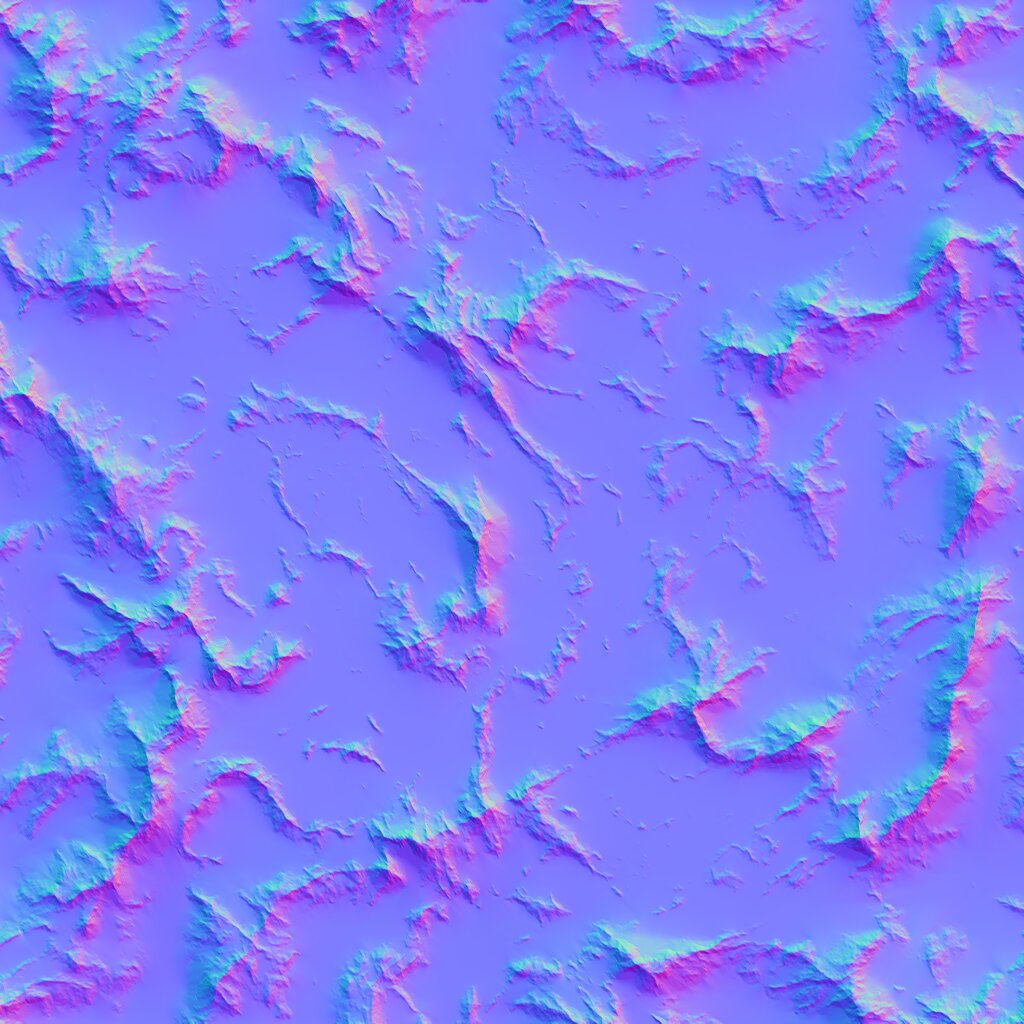
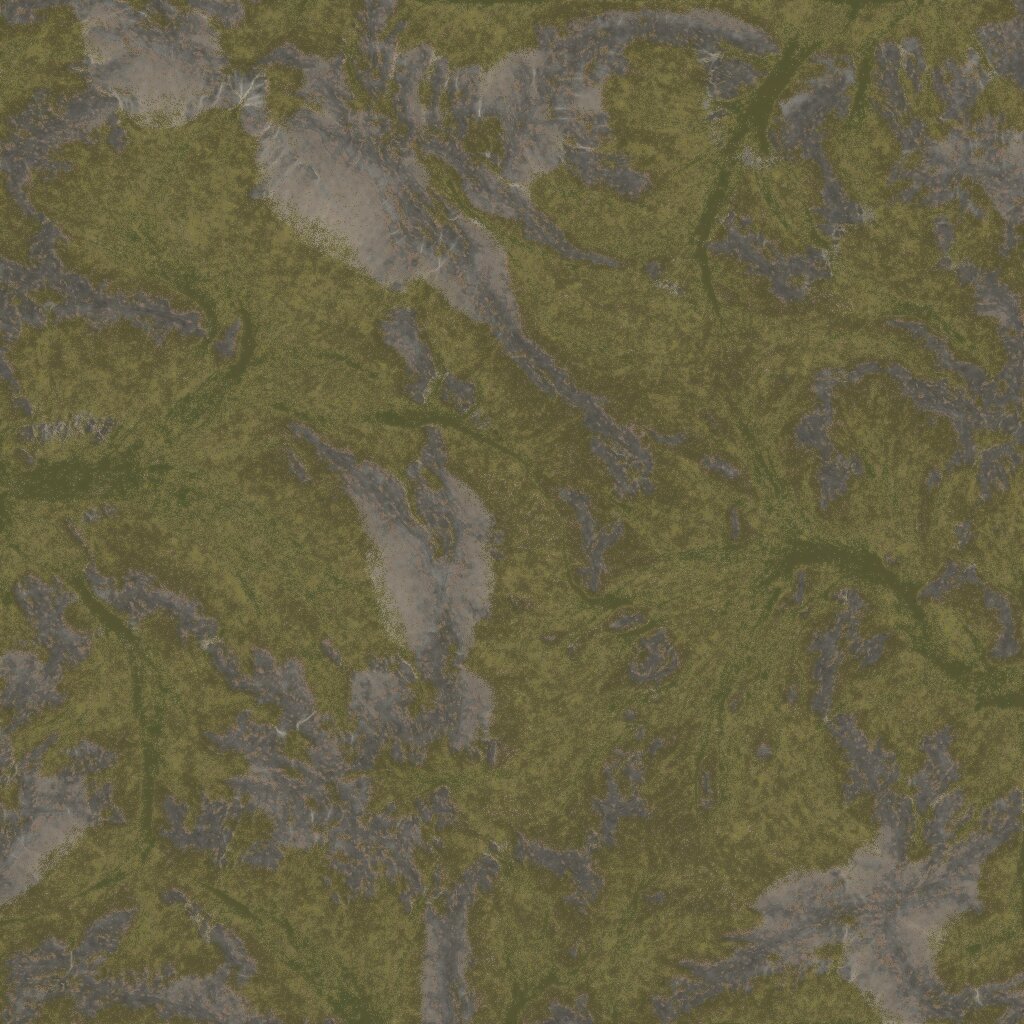
Texturing exports in whichever form your pipeline wants:
Weightmaps
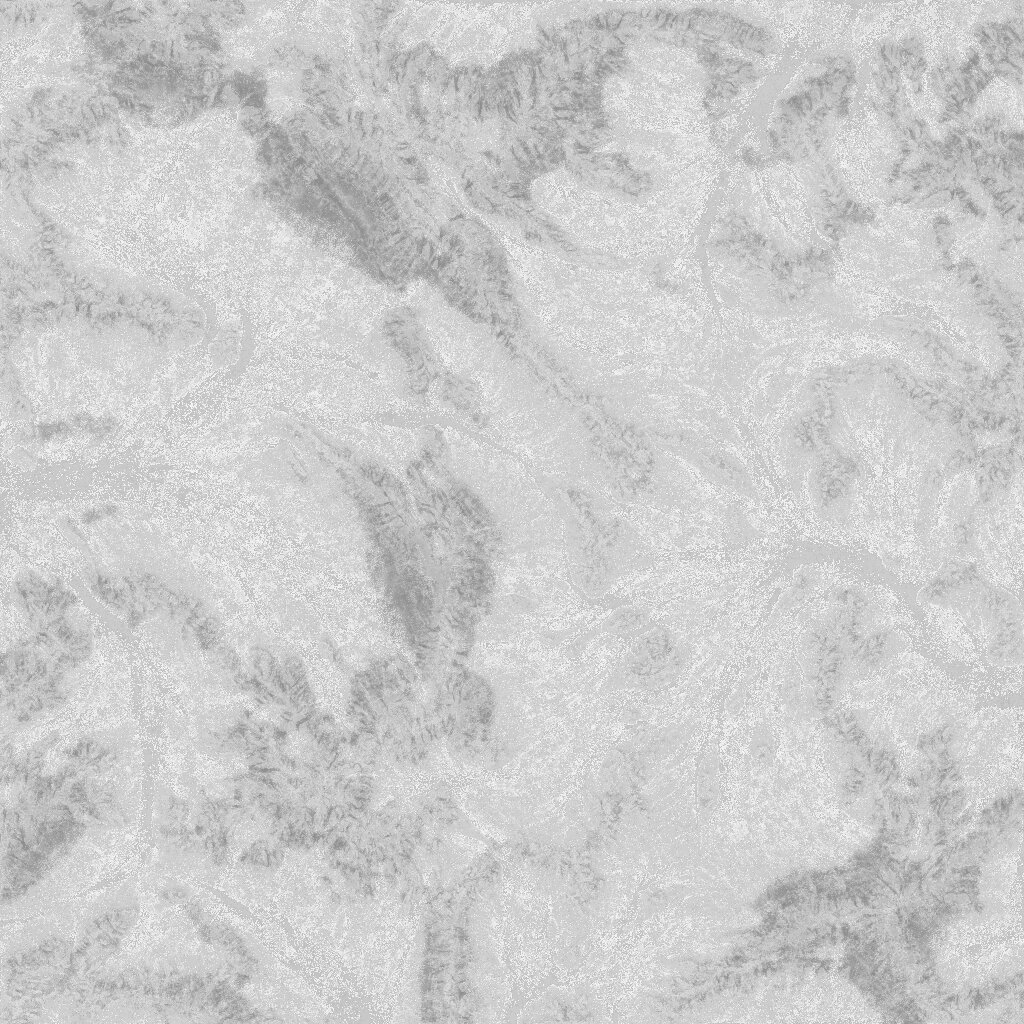
Texture weightmaps (or splat-maps) are RGBA bitmaps whose channels weight the distribution of each material across the world. Every engine terrain shader expects them.
Combine any selectors and erosion masks you like; the Weightmap device keeps the channels normalised and the coverage where you set it.
Or one unique texture for the whole world
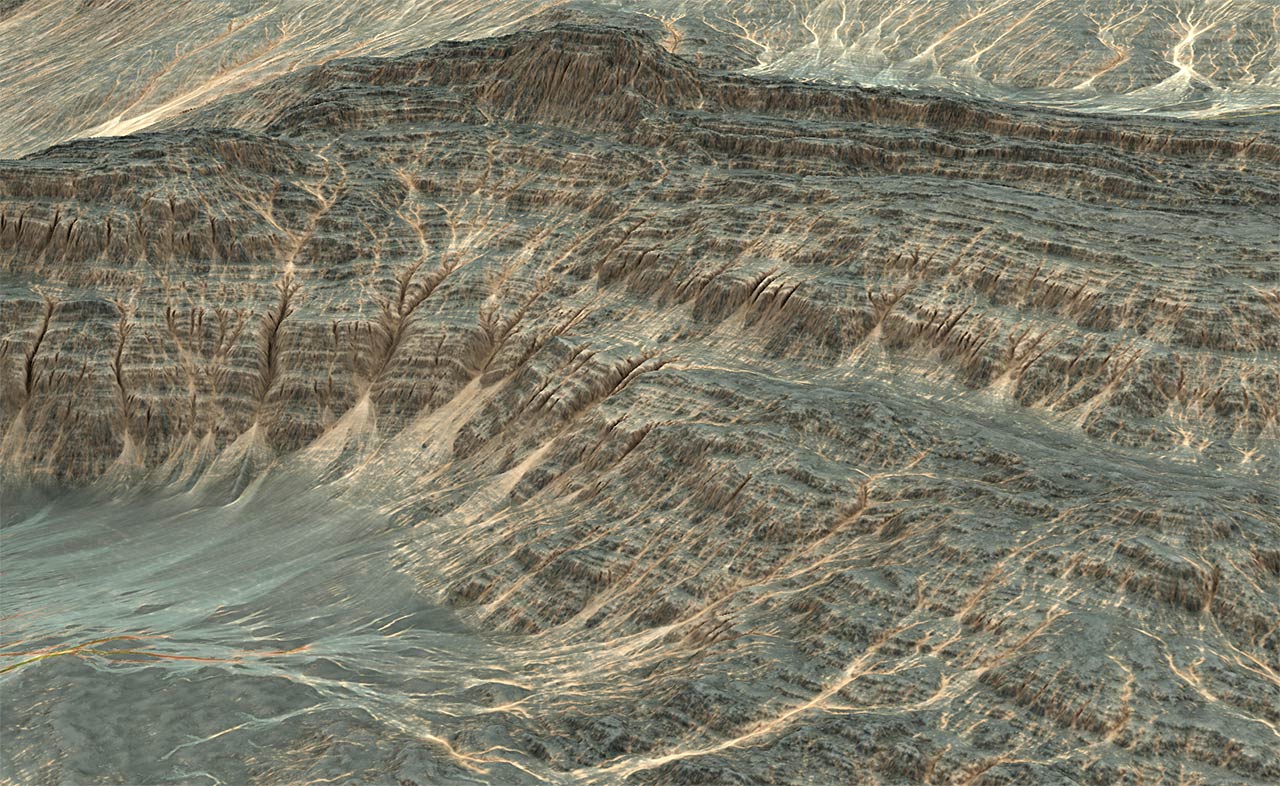
Modern projects increasingly avoid tiling altogether and author a unique high-resolution material for every point in the world: virtual texturing, or megatexturing.
World Machine’s high-resolution output gets you there, down to sub-metre detail. It pairs particularly well with tiled export in the Professional Edition.
The 3D view
Judge it before you ship it
A viewport worth looking at
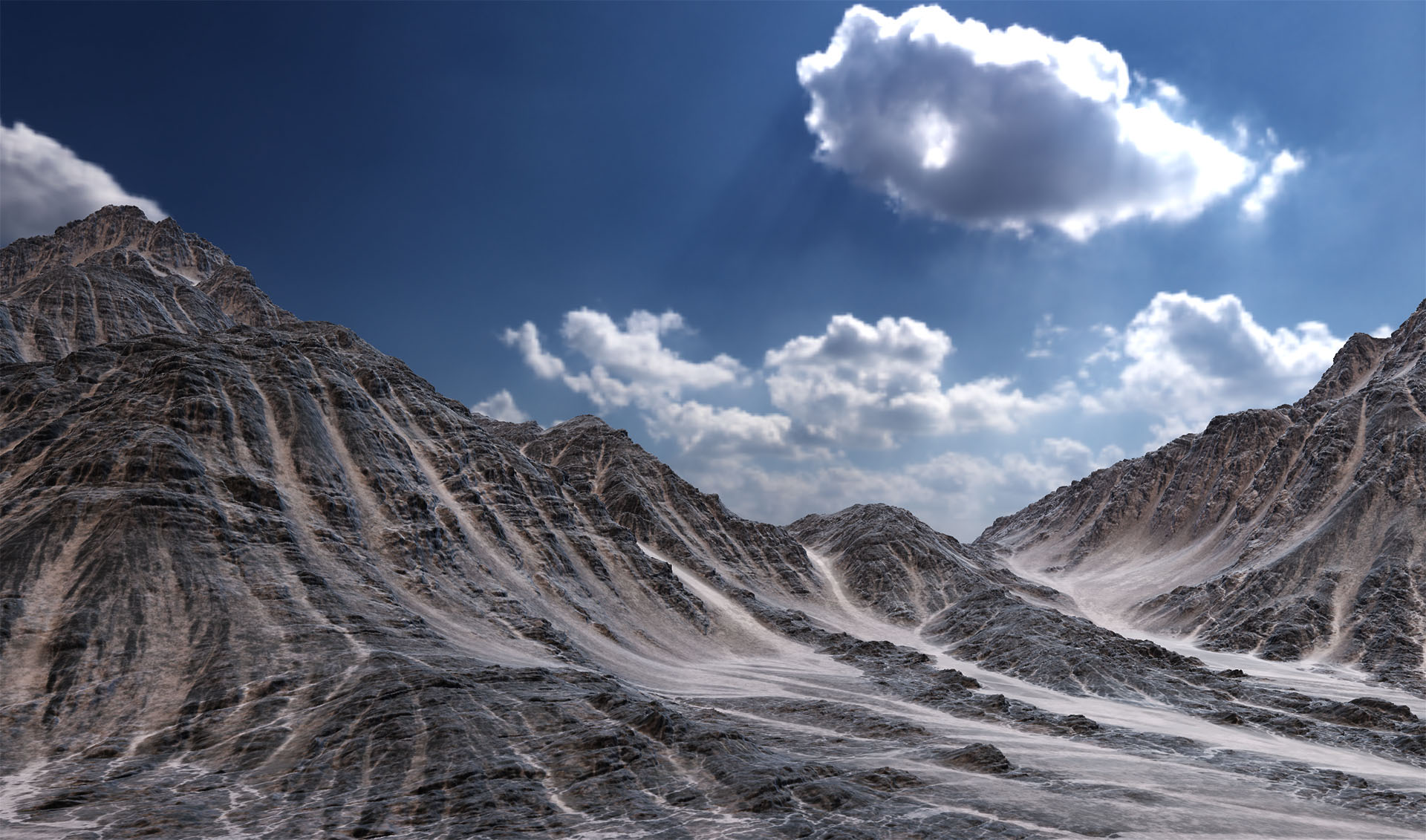
Terrain is hard to judge from a grey clay render. World Machine’s 3D view lights your world the way your engine will:
- Load an HDR panorama as the sky and light the terrain from it: image-based lighting, with the environment rotatable to place the sun where you want it
- Exponential height fog for aerial perspective, so scale finally reads
- Exposure, tone mapping and contrast controls, plus soft penumbra shadows
Get the read right here and there are fewer surprises after the export.
Built for comparing
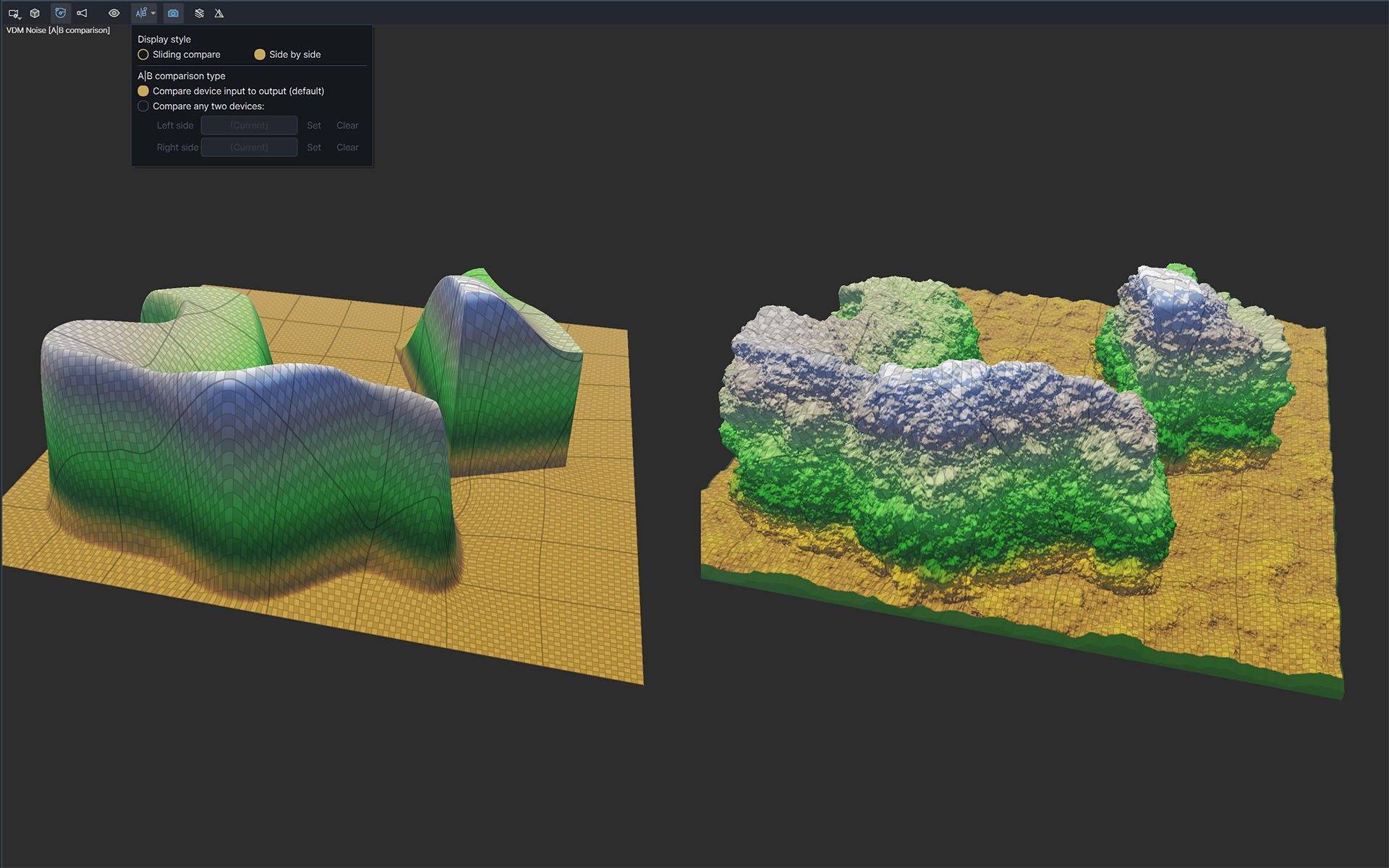
Most viewport time goes on deciding whether a change actually helped, so the tools are built around that:
- Side-by-side A:B comparison of two states of the world in a single view, or a sliding wipe between them, comparing a device’s input against its output
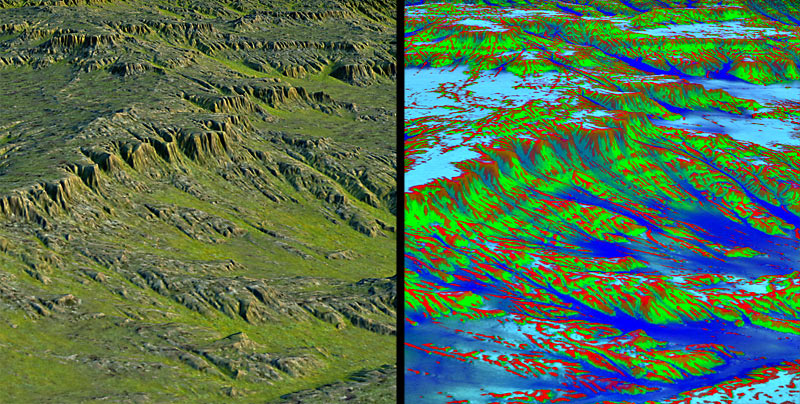
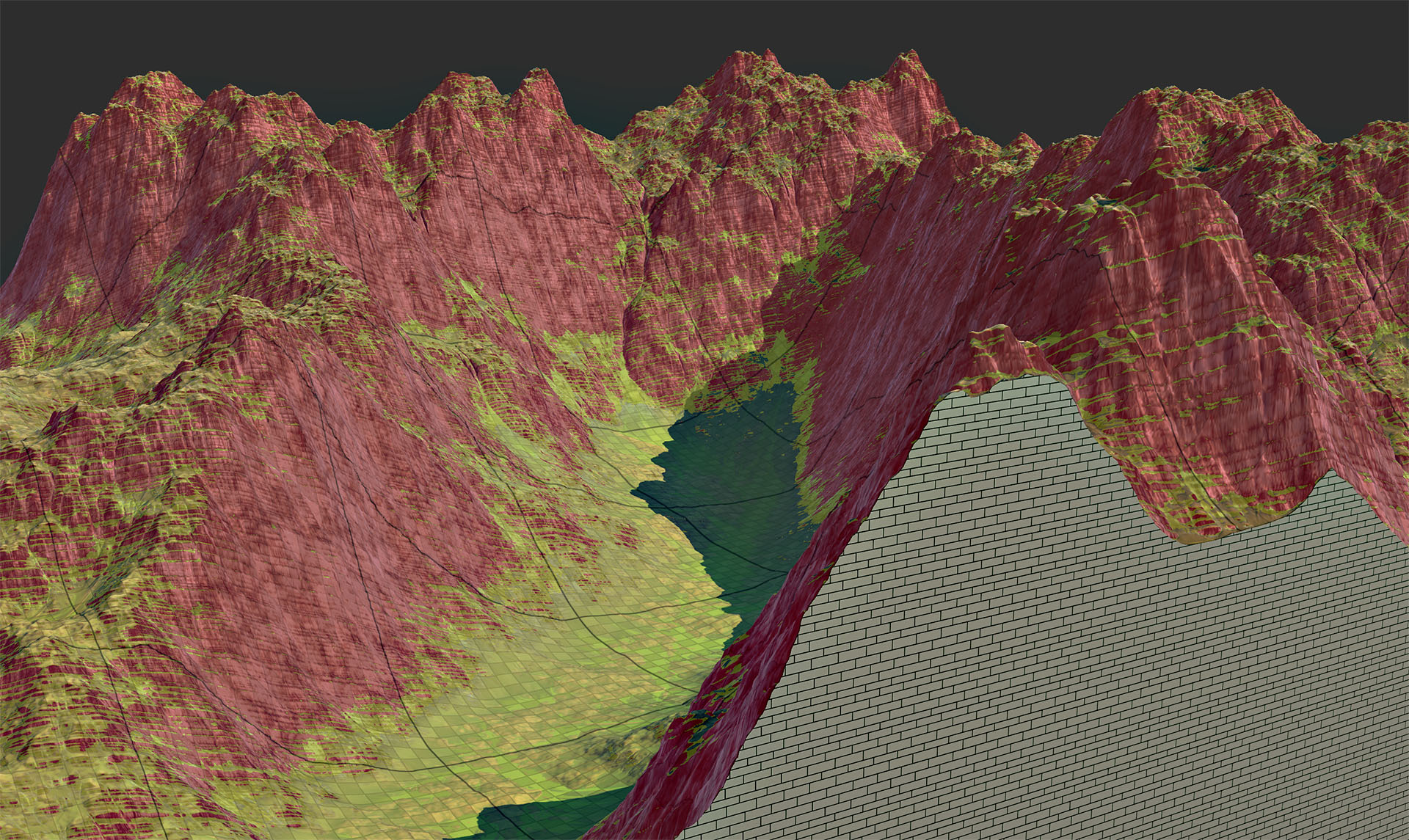
- Display guides you can stack over the terrain: a slope overlay for where the ground exceeds what your engine will let a player walk on, contour lines to read elevation the way a topographic map does, and a terrain grid showing where your real data resolution sits
- Camera slots on keys 1–8, so you can check the same three vantage points after every change instead of re-flying the terrain each time
- An orthographic camera that transitions smoothly out of perspective, for judging layout and scale without foreshortening
Export
Using the world you create
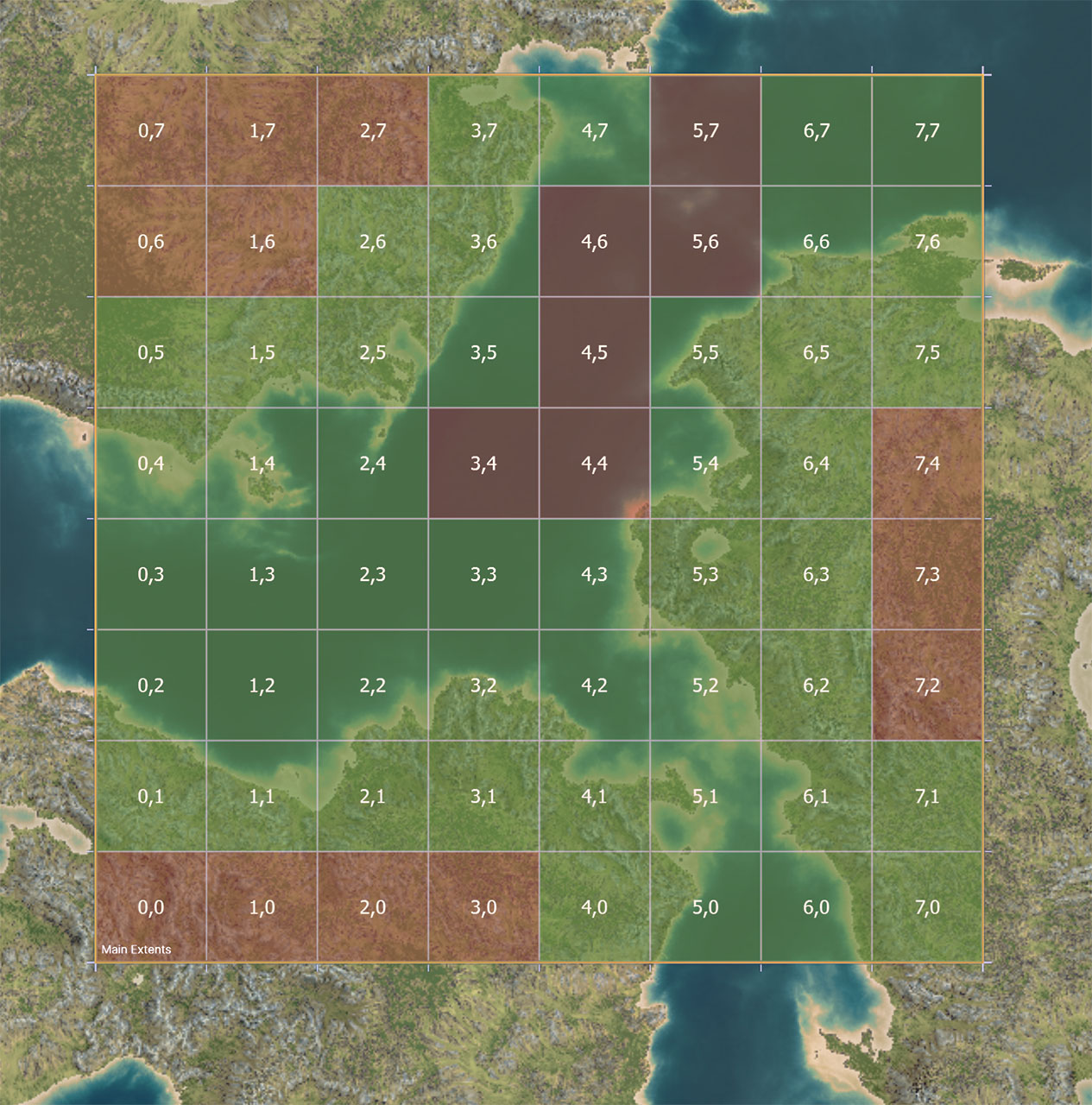
Once you've designed your world the way you'd like, you can use Output devices to produce the data your renderer or game engine needs, in formats it already reads.
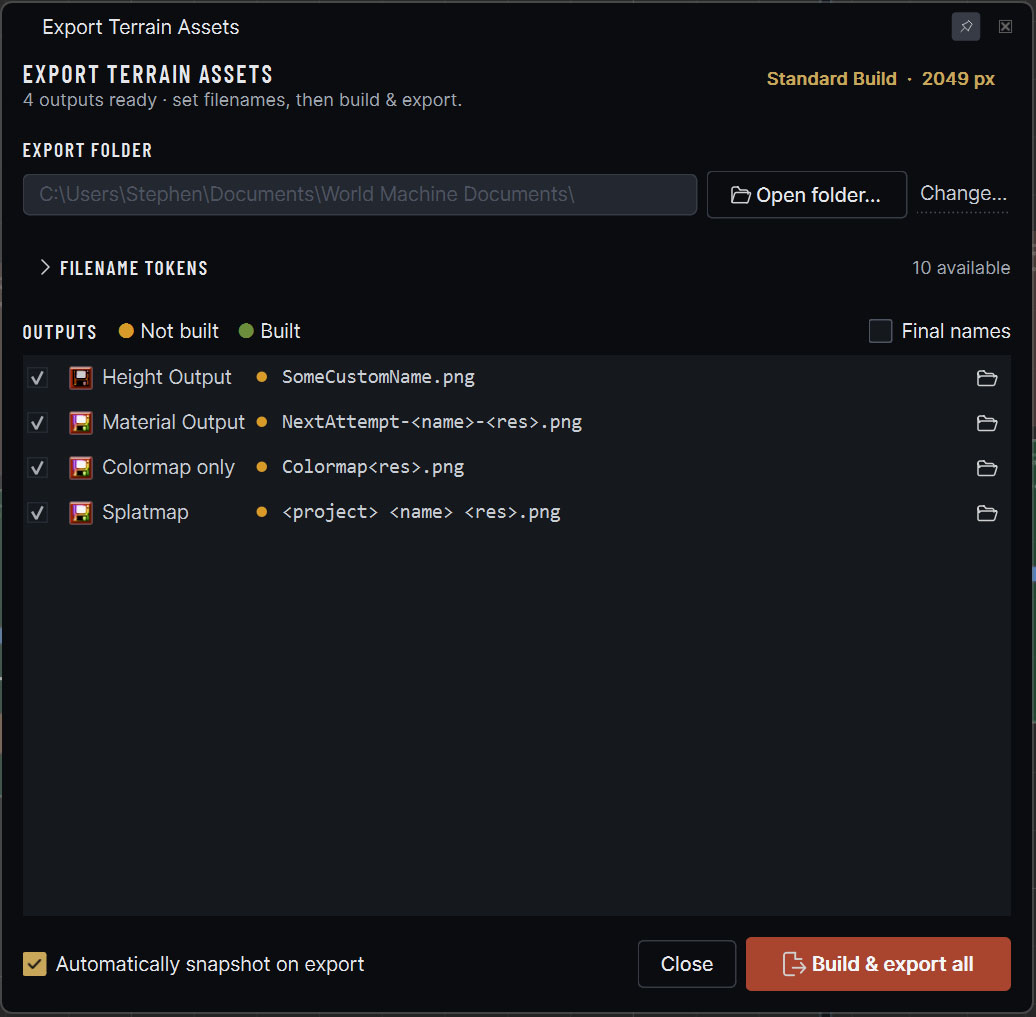
Click export all and World Machine builds every output in your graph and writes them to disk, according to the outputs you've connected. Prefer a heightfield or a mesh? Either is fine.
World Machine can build the filenames from tokens (project, output name, resolution), letting you easily setup your exports with a minimum of fuss.
Worlds bigger than memory
If you are building a large open world, one asset for the whole region stops being workable.
With the Professional Edition and above you can export a set of tiles covering the region instead. Each tile builds separately, which buys you both extreme detail and a world size bounded by your disk rather than your RAM.
They read back, too. Point the Tiled File Input device at the file collection and the whole set comes in, cached at multiple resolutions. A world far larger than memory can be opened and edited as though it were a single file.
And a long build that fails isn’t lost: it resumes from where it stopped rather than starting over, and finished tiles merge as they go instead of waiting on one long pass at the end.
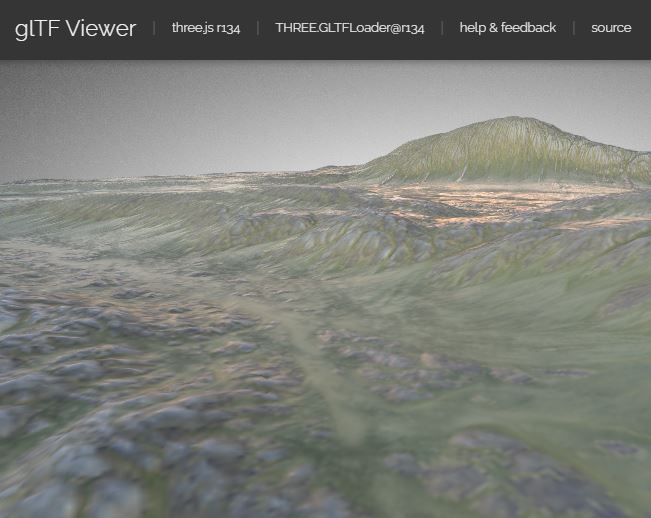
Package the whole scene in one file
You can package and export your entire terrain as a single scene in glTF format. Geometry, materials water and all. Handy for review, for sharing, and for dropping into anything that reads it.
glTF is widely supported, including by browser-based viewers that need no install at all. Useful for putting a terrain in front of an art director in a link.
Formats your pipeline already reads
Whether the terrain is headed for a game, a feature film or a visualisation, it leaves World Machine as standard files. There's nothing proprietary and nothing to convert.
- Geometry: heightfield, VDM for terrain that overhangs,
triangle mesh (OBJ), or a full glTF scene as
.gltfor packed.glb. - Maps: colour, elevation and mask data as PNG, TIFF, EXR, RAW and more, including the RGB-packed EXR height that Godot expects.
- Engines: Unreal Engine, Unity and Godot natively, plus anything else that accepts a heightfield or a mesh.
- Finishing: Blender, Maya, Cinema 4D and the rest of the renderers you would take a shot into.
We can not only create height maps, but alphas for our terrain paint layers as well. This saves a bundle of time, with results that look more detailed and professional.
The node graph
Built to be changed
Nothing is baked
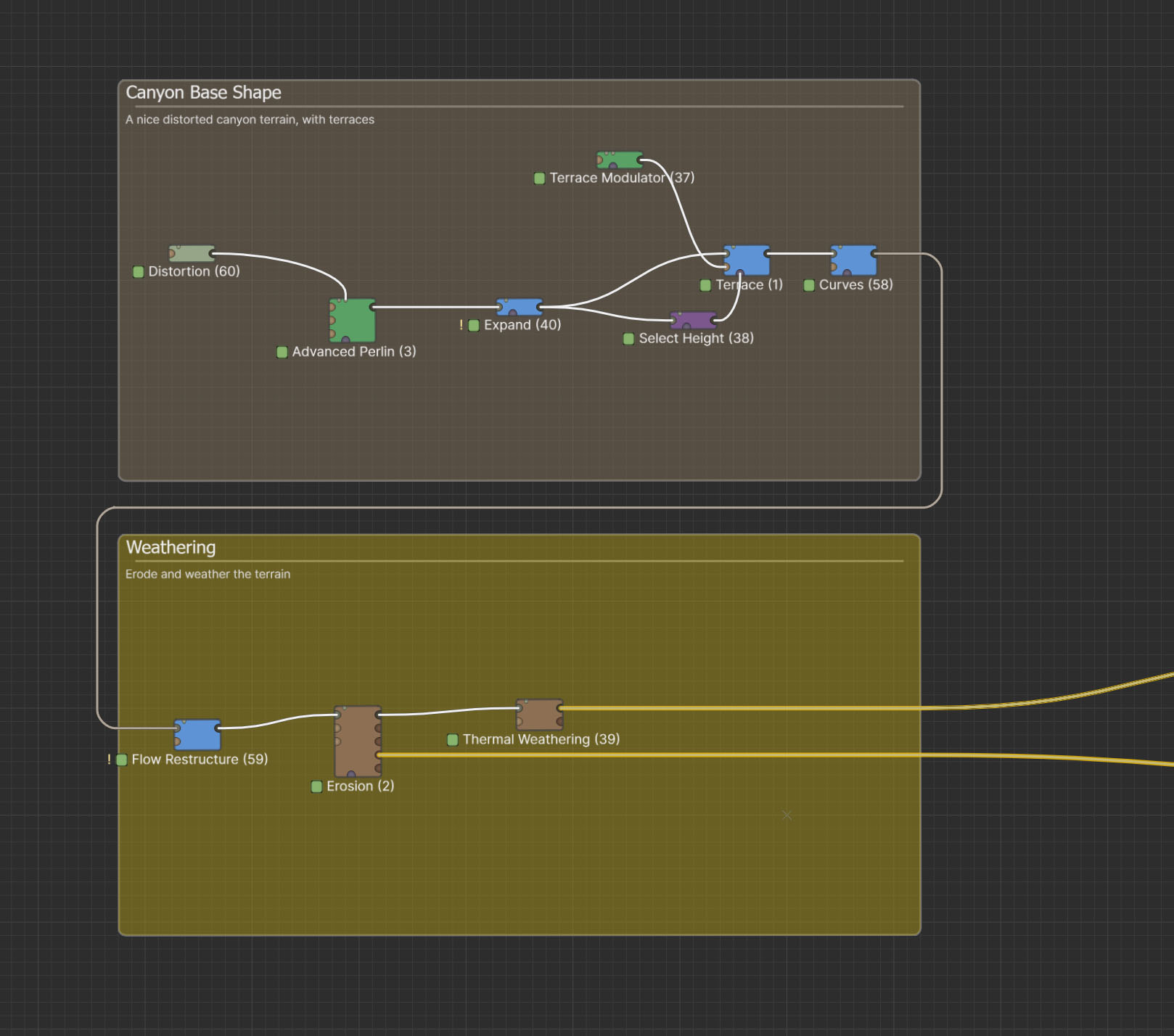
Sculpt only if you want to. World Machine is a graph of modular devices — generators, filters, simulations and outputs — wired together to produce the world.
Nothing along the way is destructive. Change a parameter near the start of the graph and World Machine rebuilds everything downstream, in the background, while you keep working. It has never been this fast.
Which is the real argument for a graph: the terrain your art director asks you to change on Friday is the same terrain, not a re-sculpt.
Keep a big graph readable
Graphs grow. World Machine ships the tools to keep one legible a year later:
- Groups & routing: declutter, label and organise devices into a workspace you can hand to someone else.
- Macros: wrap an entire subgraph into one user-defined device, then reuse it across projects.
- Blueprints: drop in a set of devices you reach for constantly, already wired.
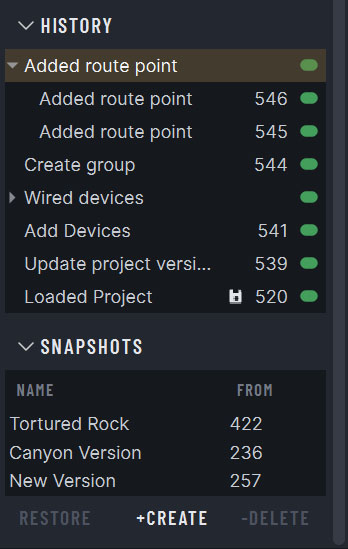
A full edit history
World Machine records every edit you make. Step back through them, compare against an earlier state, and keep the complete history of a project on disk between sessions (Professional Edition and above).
Take a snapshot of any state worth returning to and give it a name. They sit alongside the raw history, so “the version before I redid the canyon” stays one click away instead of forty undos.
Projects also carry a version, so a file made two releases ago opens cleanly and offers to upgrade its devices rather than silently changing what they do.
If you use version control in software, you will find it works about how you expect.
And when the device you need doesn’t exist
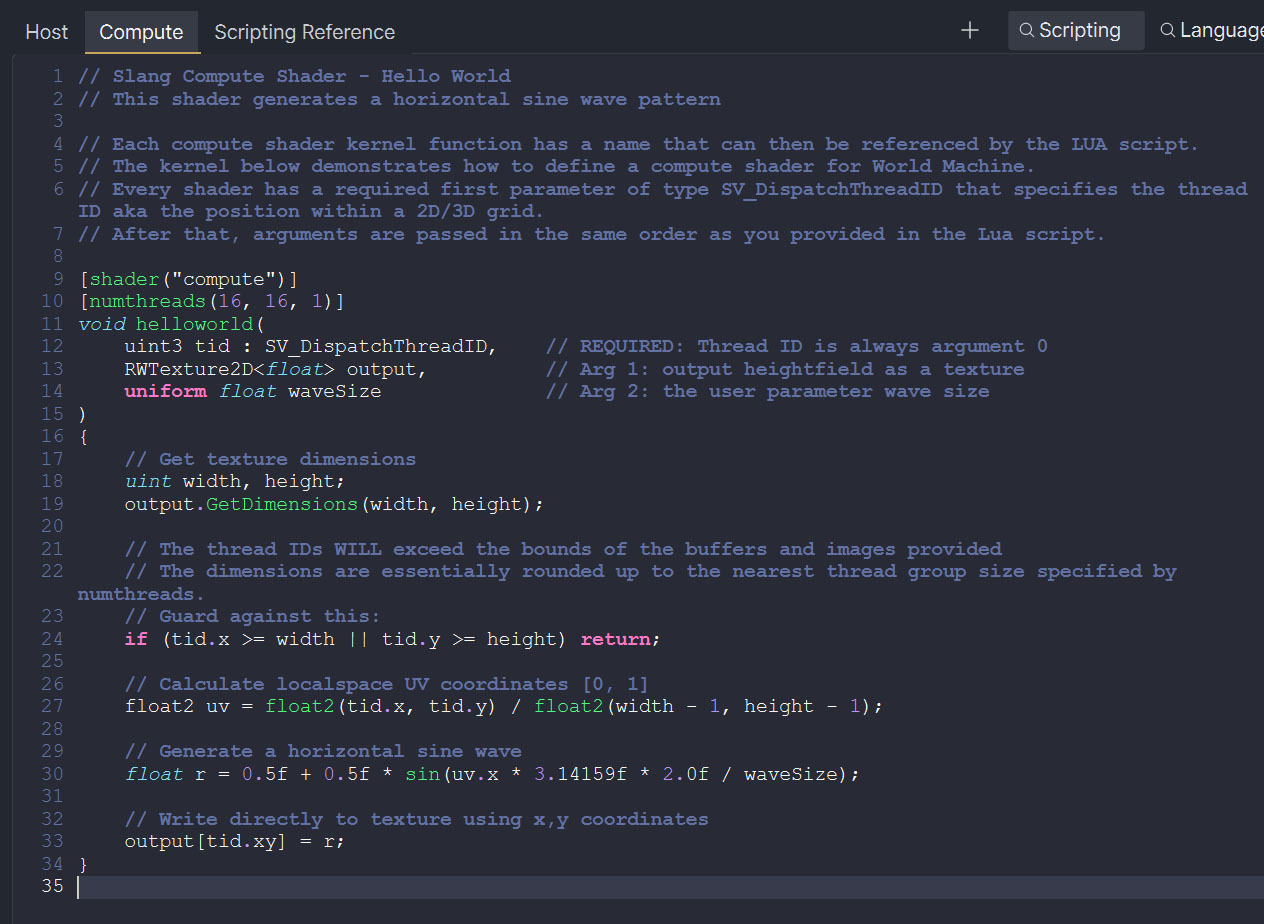
Over a hundred tools is a lot, and one day it still won’t be the one you want. The Code device lets you write that one yourself, inside World Machine, without building a plugin or leaving the app.
- Runs on the GPU: Slang compute shaders via Vulkan and Metal, with Lua as the host language.
- A real editor: syntax highlighting, a scripting reference beside the code, and shader errors that point at actual line numbers.
- Sandboxed: safe to hand to someone else, and it packages and versions like any other device.
Once written it behaves like a first-class device: wire it in anywhere, mask it, drive it with spatial parameters, and version your creation for easy updates.
I have been using World Machine since version 1.25 and haven’t found anything else that can compete for ease of use, versatility and stunning results.
Which edition do I need?
The editions differ in how big you can build and what you may do with the result. You always have access to all of the terrain tools.
- Basic is free, builds up to 1K, and is for personal and non-commercial work.
- Indie adds commercial export rights and lifts the build resolution to whatever your RAM allows.
- Professional adds unlimited tiled resolution, every CPU core, AVX-512, and other workflow goodies.
- Studio is the same as Professional, licensed across a whole site.

Better terrain is a download away
The Basic Edition of World Machine is free for personal, noncommercial use.
Or buy a license to build at full resolution and ship what you make.